How to Connect Alpaca to AlphaInsider - Automate Trades
Learn how to connect Alpaca to AlphaInsider and generate your API keys for paper or live automated trading in just a few minutes.

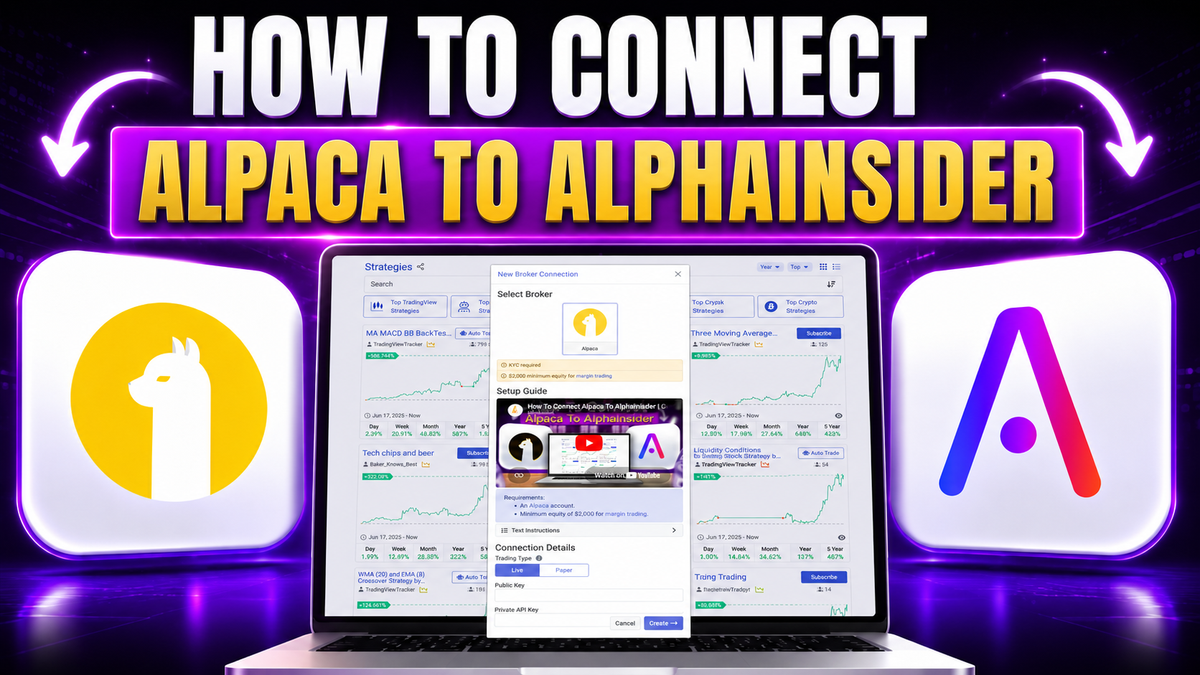
Ready to automate your trades? Connecting Alpaca to AlphaInsider takes just a few minutes and unlocks automated order execution for your trading strategies. The process comes down to choosing your account type, generating your Alpaca API keys, and pasting them into AlphaInsider.
This step-by-step guide shows you exactly how to connect Alpaca to AlphaInsider, including how to generate your Alpaca API keys for both paper and live trading accounts. Whether you want to test with simulated funds or trade with real money, the setup is nearly identical.
You'll also learn one critical requirement, the $2,000 minimum balance, that keeps your automated trading bot active. Let's get your account connected.
Key Takeaways
- Connecting Alpaca to AlphaInsider enables automated order execution for your strategies.
- Decide between a paper account (simulated funds) or a live account (real funds) before generating keys.
- You generate API keys in Alpaca by clicking Regenerate, then Generate New Keys.
- The Alpaca Key becomes your public key, and the Secret becomes your private key in AlphaInsider.
- The trading type in AlphaInsider must match your Alpaca account type (paper or live).
- A $2,000 minimum balance is required to keep the automated trading bot active.
Prerequisites: What You'll Need
Before you connect Alpaca to AlphaInsider, make sure you have the following ready:
- An Alpaca account (with access to both paper and live trading dashboards).
- An AlphaInsider account where you'll connect the broker.
- Your Alpaca API keys, which you'll generate during this process.
- A decision on whether you're connecting a paper or live account.
Skill level: Beginner-friendly. If you can copy and paste, you can complete this setup.
Time required: Roughly 5 minutes.
Paper vs Live: Choosing Your Account Type
Before generating any keys, decide which type of Alpaca account you want to connect. This choice determines whether you trade with real or simulated money.
- Live trading account: Uses real funds. Choose this when you're ready to trade with actual money.
- Paper trading account: Uses simulated funds. Choose this to test strategies risk-free before going live.
In Alpaca, you switch between them using the dropdown in the top left:
- Click Live to connect a real-money account.
- Click Paper to connect a simulated account.
Make this selection before you generate your API keys, because the keys are tied to the account type you have selected.
Step-by-Step Guide to Connecting Alpaca
Here's the complete process from start to finish. For this example, we'll connect a paper trading account.
Select Your Alpaca Account Type
- Log into your Alpaca account.
- Go to the dropdown in the top left.
- Select Live (real funds) or Paper (simulated funds) based on what you want to use.
For this walkthrough, we'll select Paper.
Generate Your Alpaca API Keys
- Find the box in the bottom right labeled API Keys.
- Click the Regenerate button.
- Click Generate New Keys.
Alpaca will now display your Key and Secret, which you'll use in the next steps.
Match the Trading Type in AlphaInsider
- Over on AlphaInsider, when prompted to select a broker, choose Alpaca.
- Go to the Trading Type setting.
- Select the account type that matches your Alpaca selection, either Live or Paper.
Since our example uses a paper account, we'll select Paper here. Matching the trading type to your Alpaca account is essential for the connection to work correctly.
Copy and Paste Your Keys
- Back in Alpaca, copy the value under Key and paste it as the Public Key in AlphaInsider.
- For the private key, copy the value under Secret in Alpaca and paste it as the Private Key in AlphaInsider.
- Click Create.
That's it. Your Alpaca account is now connected to AlphaInsider to automate order executions.
The $2,000 Minimum Balance Requirement
There's one important rule to remember with Alpaca on AlphaInsider: a minimum balance of $2,000 is required.
If your account balance falls under $2,000, you will no longer have access to the automated trading bot feature that AlphaInsider offers. The bot simply stops trading until you're back above the threshold.
Because of this, it's wise to keep a buffer for volatility and any unexpected market moves. Holding a cushion above the $2,000 minimum helps ensure your automation keeps running smoothly even during turbulent periods.
Tips and Best Practices
- Start with a paper account. Test your strategies with simulated funds before committing real money.
- Always match account types. Make sure the AlphaInsider trading type matches your Alpaca selection (paper or live).
- Keep a balance buffer. Stay comfortably above $2,000 so volatility doesn't disable your trading bot.
- Double-check your keys. Confirm the Alpaca Key goes in as the public key and the Secret goes in as the private key.
Common Mistakes to Avoid
- Mismatched account types. Selecting Live in Alpaca but Paper in AlphaInsider (or vice versa) will cause connection issues.
- Generating keys for the wrong account. Choose Paper or Live in Alpaca before generating your API keys.
- Swapping the keys. Don't mix up the public (Key) and private (Secret) values when pasting them in.
- Falling below $2,000. Dipping under the minimum balance turns off your automated trading bot.
Frequently Asked Questions
How do I connect Alpaca to AlphaInsider?
Select your account type in Alpaca, generate your API keys, choose Alpaca as your broker in AlphaInsider, match the trading type, then paste your Key as the public key and your Secret as the private key.
Should I use a paper or live Alpaca account?
Use a paper account to test strategies with simulated funds, or a live account to trade with real money. Beginners often start with paper.
How do I generate Alpaca API keys?
In Alpaca, find the API Keys box in the bottom right, click Regenerate, then click Generate New Keys.
Which Alpaca key is the public key?
The value labeled Key in Alpaca is your public key in AlphaInsider. The value labeled Secret is your private key.
Do I need to match my account types?
Yes. The Trading Type in AlphaInsider must match your Alpaca account type, either paper or live, for the connection to work properly.
What is the minimum balance to use Alpaca on AlphaInsider?
A $2,000 minimum balance is required. If your balance falls below this, you lose access to the automated trading bot until you're back above it.
What does connecting Alpaca actually do?
It allows AlphaInsider to automate order executions, so your subscribed or created strategies trade automatically through your Alpaca account.
Why should I keep a balance buffer?
A buffer protects you against volatility and unexpected moves that could push your account below $2,000 and disable your trading bot.
Conclusion
Connecting Alpaca to AlphaInsider is a quick, straightforward process: choose your account type, generate your Alpaca API keys, match the trading type in AlphaInsider, and paste your keys. In just a few minutes, you'll have automated order execution running through your Alpaca account.
Just remember the two essentials, match your paper or live account types and keep your balance above the $2,000 minimum to keep your trading bot active.
Ready to automate your trading? Head to alphainsider.com, connect your Alpaca account, and start putting your strategies on autopilot today. Happy trading.