Build a Trading Bot With Claude Code in 32 Minutes
A timed speedrun: one strategy built with Claude Code, two verified strategies, one auto trade bot, and a live first trade in 32 minutes.

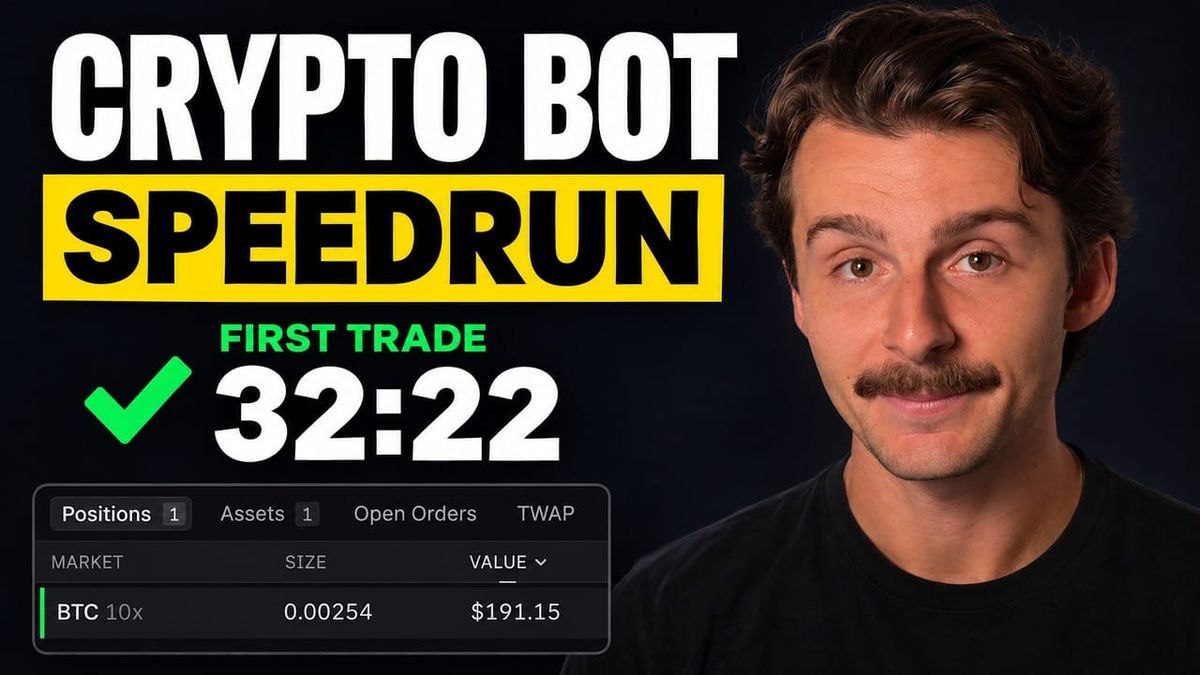
Can you really go from a blank chat window to a live crypto trading bot in about half an hour? In this speedrun, the answer was yes. One custom strategy was built from scratch, two verified strategies were picked from a marketplace, and the combined bot placed its first trade on Bitcoin just over 32 minutes after the timer started.
This guide shows exactly how to build a trading bot with Claude Code and AlphaInsider, step by step. You will see the prompts, the backtest, the allocation settings, and the honest time breakdown, including where the clock got away from us.
The short version: install the free AlphaInsider strategy creator skill, describe your strategy to Claude in plain English, backtest it, host it live, then combine it with other verified strategies inside an auto trade bot with set allocations.
Table of Contents
- Key Takeaways
- Can You Really Build a Trading Bot With Claude Code?
- The Speedrun Plan: Three Strategies, One Bot
- Prerequisites: What You Will Need
- Step-by-Step Guide: Build the Bot With Claude Code
- How Long Did Each Phase Take?
- Tips and Best Practices
- Common Mistakes to Avoid
- Frequently Asked Questions
- Conclusion
Key Takeaways
- A live crypto trading bot took just over 32 minutes from a fresh Claude Code session to its first trade, against a 20 minute target.
- The bot combines three strategies: one custom 50/100 moving average cross built with Claude, plus two verified strategies chosen from the AlphaInsider marketplace.
- The free strategy creator skill does the heavy lifting. Claude builds the strategy, backtests it, and hosts it live on AlphaInsider.
- The custom strategy lagged buy and hold, but with a smaller worst drop of 64.9% in a backtest from 2015 that charged a 0.25% fee on every trade.
- Allocations were split 50% / 25% / 25% across the three strategies so the bot is not all in on one idea.
- Most of the 32 minutes was waiting. The model setting used was overkill for a simple strategy, and a lower effort level would likely have been faster.
- You can host up to five of your own strategies for free with AI hosting on AlphaInsider.
Can You Really Build a Trading Bot With Claude Code?
Yes. With the right skill installed, Claude Code can take a plain English trading idea and turn it into a hosted, live, automated strategy. You never write a line of code yourself. Your job is to describe the rules clearly, review what Claude assumes, and make the final calls on risk.
The challenge in this speedrun was simple: how long does it take to build a crypto trading bot with Claude Code before it places its first trade? The goal was 20 minutes or less, with a timer running the whole way.
The real money on the line was modest on purpose. The Lighter trading account held exactly $227.77, an amount the creator was willing to lose. That is a smart way to approach any new automated trading setup: start small, prove it works, then scale.
The Speedrun Plan: Three Strategies, One Bot
A strategy and a bot are not the same thing. A strategy is a set of rules. A bot is the automation that trades your account, and it can run several strategies at once with a different allocation to each.
The plan for this build was a three strategy trading bot:
- One custom strategy, built from scratch in Claude Code
- Two verified strategies, chosen from a marketplace of strategies that are all tracked live
- One bot that trades all three, with a set percentage of the account behind each
Combining strategies means the bot is not riding on a single idea. If one strategy hits a rough patch, the others can keep working.
Prerequisites: What You Will Need
Before you start the clock, line up the following:
- Claude Code, open in a fresh session
- The AlphaInsider strategy creator skill, which is free (Claude can install or update it for you)
- A free AlphaInsider account, for hosting the strategy and running the auto trade bot
- An AlphaInsider API key created for an AI agent (covered in Step Six)
- A connected exchange account. This build used a Lighter account already linked to an AlphaInsider trading bot
- A trading idea you can describe in a sentence or two, including the asset, the timeframe, and when to enter and exit
- Money you are willing to lose. This build used about $228
Time estimate: roughly 30 to 35 minutes, most of it waiting on Claude.
Skill level: beginner friendly. If you can describe your strategy out loud, you can build it.
Ready to build your own trading bot?
Create a free AlphaInsider account and host up to five AI-built strategies live.
Step-by-Step Guide: Build the Bot With Claude Code
Here is the full process, in the order it happened during the speedrun.
Step One: Install the Strategy Creator Skill
Start a fresh Claude Code session. The build used the newest Claude model, released the same day as the recording, on its extra high effort setting. Prompts were spoken in as voice memos, which is a fast way to give Claude a lot of context at once.
The first prompt was:
"Hey Claude, make sure the latest strategy creator skill from AlphaInsider is installed. I want to build a trading strategy."
Claude found an update and asked to install it. You can also get the same skill for free from the AlphaInsider resources page, under the Connect AI Agent section:
- Copy the message shown there.
- Paste it into any AI you use.
- The AI downloads everything, makes sure it is up to date, and you are ready to build trading strategies.
This first phase was the slowest part of the run. At four and a half minutes in, the skill was still being finalized.
Step Two: Describe Your Strategy in One Shot
Once the skill is ready, Claude starts asking questions to build out the strategy. To save time, give Claude as much information as possible in a single message. The strategy described here was:
- Asset: Bitcoin
- Signal: the 50 moving average crossing over the 100 moving average
- Timeframe: the one day chart
- Direction: long only, never short
- Entry: go long when the 50 crosses above the 100
- Exit: go to cash when the 50 crosses back below the 100
That is a complete rule set. Claude has everything it needs to build the strategy without a long back and forth.
Step Three: Pick Verified Strategies While Claude Works
Do not just watch Claude think. Use the time to find the other strategies for your bot.
The AlphaInsider marketplace ranks strategies roughly from best to worst as you scroll down, and you can sort and filter further. Two strategies made the cut:
- Real Turtle by DashTrader. At the time of recording it was short Bitcoin, having entered the short around $79K with Bitcoin trading near $75K. That put it up roughly 5% on the open trade.
- BTC and ETH Long strategy by philipina. After switching the view to the past five years, this one stood out for a very solid curve to the upside.
Another crypto strategy looked tempting at first. It was short ETH and up 193% over the past year, but its five year results were not as good, so it was left out. This is a good habit: always check a longer timeframe before trusting a hot one year number.
Save the strategies you like to your subscriptions tab. They will show up later when you set your bot's allocations.
Step Four: Review What Claude Assumed
When Claude finished building, it flagged two details it had filled in:
- Average type: it used simple moving averages, since the type was not specified. That was the intent.
- Position sizing: all in or all out, since the rules said go long or go to cash.
Both were correct. Always read these assumptions, because a wrong guess here changes how the whole strategy trades. At this point the clock read just under 11 minutes.
Step Five: Backtest the Strategy
At about 13 and a half minutes, Claude reached the build data and backtest phase. The backtest compared the 50 over 100 cross against simply buying and holding Bitcoin:
| Backtest setting | Value |
|---|---|
| Starting capital | $10,000 |
| Period | 2015 to the present |
| Fee | 0.25% on every trade |
| Compared against | Buying and holding Bitcoin |
| Worst drop | 64.9% |
Here is how the strategy behaved:
- It finished behind buy and hold. If you had simply bought and held Bitcoin, you would be ahead of this strategy.
- It held up well for years. The strategy actually stayed above buy and hold until 2020 and held steady, including through a bear market.
- The 2023 rally is where it fell behind. The crossover was slower to capture that move.
- Its biggest drawdown was smaller than buy and hold. A 64.9% worst drop is still large, but it was not as bad as holding Bitcoin outright.
A strategy does not need to beat buy and hold to earn a place in a bot. A smaller drawdown can make it a useful piece of a combined system.
Step Six: Connect Your API Key and Go Live
With the backtest reviewed, the next move was to implement it and take it live. This happened just before the 20 minute mark.
Claude needs an AlphaInsider API key for creating strategies. If you do not have one connected yet, Claude will ask for it. To create one:
- Go to Settings on AlphaInsider.
- Click Developers, then AI Agent. This gives the key all the permissions it needs.
- Name the key, enter your password, and create it.
- Save the key somewhere safe, because you can reuse it.
- Paste it into Claude.
Claude then asked a few setup questions about starting positions and other options. The choices were:
- Public strategy
- Self healing turned on
- Notifications for any errors
Choosing the recommended option for everything is a quick way through this step.
When it finished, Claude returned a link to the strategy, now live on AlphaInsider as BTC 50/100 MA Cross. In the portfolio, the strategy was already holding a position, because the 50 was above the 100 at the time, so the logic called for being long. Claude also set up a scheduled task that runs every day at about 8:14 p.m. to make sure the strategy keeps running. You can change that time if you want.
Step Seven: Open Auto Trade and Pick Your Bot
With all three strategies ready, it is time to build the bot itself:
- Click Auto Trade in the top right of AlphaInsider.
- Select your trading bot. This build used a Lighter bot set up earlier. It was turned off and holding no positions.
Before changing anything, the Lighter account showed $227.89, all in USDC, with no open positions.
Step Eight: Set Allocations and Turn the Bot On
Rather than go all in on the new strategy, the account was split across all three:
| Strategy | Allocation |
|---|---|
| BTC 50/100 MA Cross (built with Claude Code) | 50% |
| Real Turtle by DashTrader | 25% |
| BTC and ETH Long strategy by philipina | 25% |
| Total | 100% |
Any strategy in your subscriptions tab will pop up here, which is why saving them in Step Three pays off. Then:
- Click Save.
- Turn the bot on.
- Acknowledge and agree to the prompt.
- Review any prior history. Anything left over from before was closed out.
The bot then rebalanced based on the strategies' current active trades. One of the three strategies was not in a position, and the other two were, so the bot matched those trades. Checking the Lighter account confirmed it: one open position on Bitcoin. The bot was live.
Step Nine: Configure Leverage and Slippage
The final stop is the bot's settings tab. The settings used were:
- Leverage: 10x. This may not be what you want, so choose a level that fits your own risk tolerance.
- Slippage: dropped to 0.5% as the worst case scenario.
- Rebalance on start: on
- Close on stop: on
Click update, and the bot applies everything. The clock stopped at just over 32 minutes, with the first trade already taken and the bot up a few cents on Bitcoin.
How Long Did Each Phase Take?
The 20 minute goal was missed, but the timeline shows where the time actually went:
| Clock time | Milestone |
|---|---|
| About 4.5 minutes | Still installing and updating the strategy creator skill |
| Just under 11 minutes | Claude finished building the strategy |
| About 13.5 minutes | Build data and backtest phase begins |
| Approaching 20 minutes | Backtest reviewed, implementation starts |
| Approaching 28 minutes | Claude still finishing the live setup |
| Just over 32 minutes | Bot is live and the first trade is in |
Most of that time involved no hands on work at all. As the video puts it, this is the stretch where you can scroll reels while Claude works for you. Thirty-odd minutes of mostly waiting, in exchange for a bot that saves hours of manual trade execution, is a good deal.
Tips and Best Practices
- Match the effort level to the strategy. The top model on extra high effort was overkill for a simple crossover. It thought longer than needed, though it was unlikely to make mistakes. For simple strategies, try a high or medium effort setting. Keep the higher setting for complex strategies.
- Use voice memos for long prompts. Speaking your full strategy is faster than typing it.
- Give all the rules in one shot. Asset, timeframe, signal, direction, entry, and exit in a single message saves rounds of questions.
- Multitask while Claude builds. Browse the marketplace and add candidates to your subscriptions tab.
- Check multiple timeframes. A strategy that is up 193% in a year may look much weaker over five years.
- Split your allocation. Even with only one strategy, you could allocate a portion of your account, such as 20%, and the bot adjusts allocations to match.
- Reuse your API key. Save it once and you can connect it again for future builds.
Common Mistakes to Avoid
- Trading money you cannot afford to lose. Start with a small test amount, as this build did.
- Skipping Claude's assumptions. Moving average type and position sizing change results, so confirm them.
- Ignoring the drawdown. A 64.9% worst drop is large even when it beats buy and hold on that measure.
- Defaulting to high leverage. 10x was used here, but it magnifies losses as well as gains. Pick a level that fits your own risk.
- Going all in on one strategy. Combining strategies with set allocations helps the bot handle rough patches.
- Forgetting to save strategies to your subscriptions. If they are not there, they will not appear when you set allocations.
Frequently Asked Questions
How long does it take to build a trading bot with Claude Code?
In this speedrun, it took just over 32 minutes from a fresh Claude Code session to a live bot with its first trade. Much of that was waiting on Claude, and a lower effort setting could make a simple strategy faster.
Do I need to know how to code?
No. You describe the strategy in plain English, and Claude, using the AlphaInsider strategy creator skill, builds, backtests, and hosts it for you.
Where do I get the AlphaInsider strategy creator skill?
It is free. You can ask Claude to install it, or copy the message from the Connect AI Agent section of the AlphaInsider resources page and paste it into any AI you use.
How do I create an AlphaInsider API key for Claude?
Go to Settings, then Developers, then AI Agent. Name the key, enter your password, create it, save it somewhere safe, and paste it into Claude when asked.
Can one trading bot run more than one strategy?
Yes. In Auto Trade you can add several strategies to one bot and set an allocation for each. This build used 50% for the custom strategy and 25% each for two marketplace strategies.
Did the custom strategy beat buy and hold?
No. The 50/100 moving average cross finished behind buying and holding Bitcoin, mostly because it lagged during the 2023 rally. Its worst drop of 64.9% was smaller than buy and hold's, though.
How many strategies can I host for free?
You can host up to five of your own strategies for free with AI hosting on AlphaInsider.
What leverage and slippage settings were used?
The bot used 10x leverage and a 0.5% worst case slippage setting, with rebalance on start and close on stop turned on. Choose leverage that fits your own risk tolerance.
Conclusion
You can build a trading bot with Claude Code in about half an hour, even if the clock runs past your goal. The process is straightforward: install the free strategy creator skill, describe your strategy in one shot, check Claude's assumptions, backtest, go live, and then combine your strategy with verified strategies inside an auto trade bot.
The bigger lesson is that the hard parts are now automated. Claude handles the build, the backtest, and the hosting, and the bot handles every trade execution. Your job is to choose good rules, read the drawdown, and size your risk sensibly.
Ready to build your own? Create your free AlphaInsider account, install the strategy creator skill, and start your own speedrun today.