How to Connect AI Agents to AlphaInsider (Step by Step)
Connect AI agents to AlphaInsider in minutes — install the agent skills in ChatGPT, Claude, or Grok to research, build, and launch strategies.

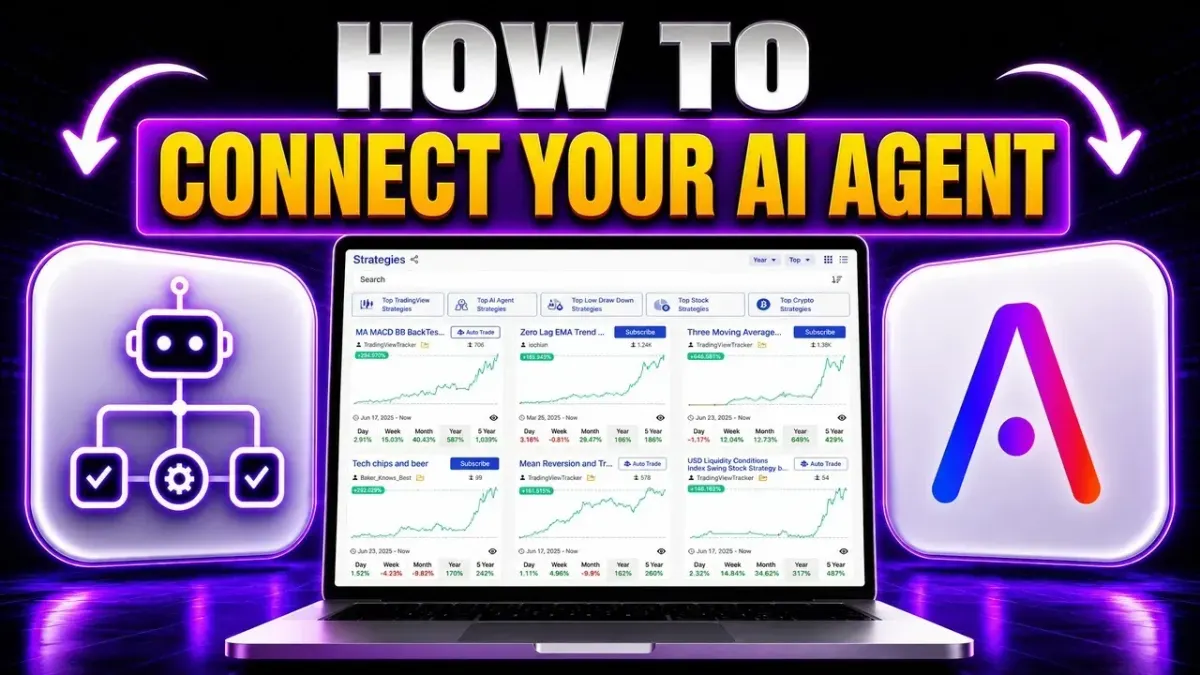
What if your AI assistant could research any portfolio on a trading platform, build strategies on the fly, and even put them live on your account? That's exactly what you get when you connect AI agents to AlphaInsider — and the setup takes just minutes.
The connection runs through agent skills: installable instruction packs that teach ChatGPT, Claude, or Grok everything they need to know about the platform. Once installed, you can ask your AI anything about the site, your portfolio, or your trading bots — and it does the digging for you.
This guide covers both installation routes (a copy-paste prompt and a zip upload), plus how to actually use the skills once they're in.
Table of Contents
- Key Takeaways
- What You Can Do Once AI Is Connected
- Prerequisites / What You'll Need
- Step-by-Step Guide
- Tips & Best Practices
- Common Mistakes to Avoid
- Frequently Asked Questions
- Conclusion
Key Takeaways
- Two agent skills are available: the all-in-one AlphaInsider skill (API help, strategy creation, backtesting, and automation) and the dedicated Strategy Creator skill.
- Installation takes one copied prompt — the Agent Skills page provides ready-made install prompts with a copy button; paste one into your AI and it installs itself.
- A zip upload is the alternative route, with the latest skill files downloadable straight from the API documentation.
- Any major AI platform works — ChatGPT, Claude, or Grok. Grok seems fastest right now, but the models are changing almost every day.
- Once installed, AI does the research for you: one prompt pulled the top three Congress portfolios by yearly performance — Jasmine Crockett up 288%, Wesley Hunt up 72%, and Robert E. Latta up 69.22%.
- API keys unlock your own account — when a skill needs access to your portfolio or trading bots, it walks you through generating and plugging in the keys.
What You Can Do Once AI Is Connected
Connecting an AI agent to AlphaInsider unlocks three big capabilities:
- Build trading strategies on the fly — describe an idea and let the AI walk you through turning it into a live strategy.
- Connect AI to your portfolio and account — ask about your strategies, your trading bots, and your performance.
- Research anything on the site at any time — instead of sorting through pages yourself, ask the AI and it finds the details, does the deep dives, and hands you the answer.
A concrete example: ask about the top members of Congress, and the skill sorts through the Congress tracker and reports back who's on top, what they're holding, their positions, and their recent activity — no manual browsing required.
Prerequisites / What You'll Need
- An AlphaInsider account — the skills connect to your portfolio and account.
- An AI platform of your choice: ChatGPT, Claude, or Grok all work. Grok seems to be the fastest right now, but models change almost daily — use what you're comfortable with.
- The right workspace on that platform: on ChatGPT, use a work section; on Claude, something like Claude Cowork or Claude Code is recommended so everything saves properly.
- Time: a few minutes for the full install.
- Skill level: beginner — it's copy, paste, and confirm.
Want AI wired into your portfolio?
Create your account, install the agent skills, and let AI research and build for you.
Step-by-Step Guide
Step 1: Open the Agent Skills Page
From the AlphaInsider homepage, scroll down to the bottom and click API Documentation. Then scroll over to Agent Skills.
This page is home base for everything in this guide — the install prompts, the skill descriptions, and the downloadable zip files all live here.
Step 2: Install with the Copy-Paste Prompt
The easiest way to install is to simply ask your agent to install — and the prompts are provided right on the page:
- Find the AlphaInsider skill — the all-in-one skill covering API help, strategy creation, backtesting, and automation.
- Click the copy button next to its install prompt.
- Open your AI platform — this walkthrough uses ChatGPT, in a work section — and paste the prompt, then tell it to go ahead and install the skill.
Your AI installs and verifies the skill, confirming it's ready for use in future conversations. On ChatGPT, you can double-check by going to plugins → Skills, where the AlphaInsider skill now appears on your account. From then on, starting a new chat with "use the AlphaInsider skill" activates it.
Step 3 (Alternative): Upload the Zip Files
Prefer a manual install — or want the dedicated Strategy Creator skill too? Use the zip route:
- On your AI platform's skills page, click the plus icon, then Upload from your computer.
- Back on the AlphaInsider API documentation, scroll down from the Agent Skills section to Download and Install.
- Download the latest zip files — there's the AlphaInsider skill (the one already installed above) and the Strategy Creator zip. Having the all-in-one skill makes it easy to use the Strategy Creator alongside it.
- Upload the zip, and the platform confirms: skill uploaded.
The Strategy Creator now appears under "created by you" in your installed skills, ready to call on.
Step 4: Call a Skill in a Fresh Chat
Open a fresh work chat and type the @ symbol, then start typing "Alpha" — your skills appear at the bottom of the suggestions, and both installed skills are right there.
Here's the real example from the walkthrough. Calling the AlphaInsider skill with:
"Tell me the top three Congress portfolios right now based on yearly performance."
The skill found the Congress tracker, searched the members of Congress, pulled up their portfolios, ranked them, and reported back:
| Rank | Member | Yearly Performance |
|---|---|---|
| 1 | Jasmine Crockett | +288% |
| 2 | Wesley Hunt | +72% |
| 3 | Robert E. Latta | +69.22% |
That's the whole point: instead of sorting through the site yourself, you ask AI anything, and it does the research, finds the details, and runs the deep dives for you.
Step 5: Build a Strategy with the Strategy Creator
Call the Strategy Creator skill the same way and say: "I want to build a trading strategy."
It asks for a starting point — your idea — and then prompts you through building out the full strategy. When the process reaches the point of accessing your specific portfolio and account, it will ask for API keys. Just follow its instructions: generate the keys, plug them in, and the AI gets the access it needs to work with your account, your portfolios, and your trading bots — and ultimately to put a strategy live on your account.
Tips & Best Practices
- Use the right workspace: a work section on ChatGPT, or Claude Cowork / Claude Code on Claude, so everything saves properly.
- Install both skills. The all-in-one AlphaInsider skill and the Strategy Creator complement each other — the first makes the second easier to use.
- Grok is currently the fastest with these skills, but models change almost every day; any of the major platforms works.
- Start new chats with the skill call — "@" plus the skill name, or simply "use the AlphaInsider skill" — so the AI loads the right context from the start.
- Let AI do the sorting. Any question you'd normally answer by browsing the site — rankings, holdings, positions, recent activity — is now a one-line prompt.
Common Mistakes to Avoid
- Installing in a throwaway chat. Use the work-style sections so the skill is saved and available in future conversations.
- Grabbing only one zip. If you go the upload route, remember there are two files — the all-in-one skill and the Strategy Creator.
- Skipping the API key step. The AI can research public site data without keys, but your portfolio, account, and trading bots need generated API keys plugged in.
- Forgetting to call the skill. In a fresh chat, invoke it explicitly — that's what puts the AlphaInsider knowledge to work.
Frequently Asked Questions
What are AlphaInsider agent skills?
Installable instruction packs that teach your AI everything about AlphaInsider. The all-in-one skill covers API help, strategy creation, backtesting, and automation; the Strategy Creator skill focuses on building trading strategies.
Which AI platforms can I use?
ChatGPT, Claude, Grok — whatever you like. Grok seems to be the fastest right now, but the models are changing almost every day.
How do I install the skills?
Two routes: copy the ready-made install prompt from the Agent Skills page and paste it to your AI, or download the zip files from the Download and Install section and upload them to your AI platform's skills page.
What's the difference between the two skills?
The AlphaInsider skill is the all-in-one — ask it anything about the site, your portfolio, or the platform. The Strategy Creator is purpose-built for walking you through building a trading strategy. They work best installed together.
What can I ask the AlphaInsider skill?
Anything on the site. The walkthrough example asked for the top three Congress portfolios by yearly performance, and the skill searched the Congress tracker and ranked them — Crockett +288%, Hunt +72%, Latta +69.22%.
When do I need API keys?
When a skill needs access to your specific account — your portfolios, trading bots, or putting a strategy live. The skill walks you through generating and plugging them in at that point.
Where do I find the prompts and zip files?
On the Agent Skills page inside the AlphaInsider API documentation — reachable from the link at the bottom of the homepage, with install prompts, skill details, and the downloadable zips in one place.
Conclusion
That's everything you need to connect AI agents to AlphaInsider: open the Agent Skills page, install with one copied prompt (or the zip upload), and start calling the skills — the all-in-one for instant research on anything from Congress portfolios to your own trading bots, and the Strategy Creator for building strategies that go live on your account.
Create your AlphaInsider account, install the skills in your AI of choice, and let it handle the research and the building from here. Questions? Drop them in the comment section of the video — happy trading.