How to Build a Trading Bot in 2026
Learn how to build a no-code trading bot in 2026 that trades crypto and stocks for you — using AI and AlphaInsider. Beginner-friendly guide.


Want a trading bot that trades stocks or crypto for you while you sleep? Here's the honest truth first: this is not magic, it's not 100% passive income, and it won't make you rich overnight. But learning how to build a trading bot in 2026 is genuinely easier than ever — and you don't need to know how to write a single line of code.
A trading bot is simply a trading strategy (or a collection of strategies) that executes trades on your behalf. Instead of watching charts all day or scrambling to act on alerts, the bot runs on autopilot using rules and parameters you define. Sometimes the best opportunities show up while you're sleeping, working, or at the gym — and that's exactly the gap automation fills.
In this guide, you'll learn how to build a fully automated trading bot using AlphaInsider, whether you want to trade crypto around the clock or stocks during market hours. Let's get into it.
Table of Contents
- What Is a Trading Bot, Really?
- Do You Need to Know How to Code?
- Prerequisites: What You'll Need
- Two Ways to Get Your Trading Strategies
- How to Bring In Your Own Strategy from TradingView
- How to Choose Strategies from AlphaInsider
- Step-by-Step: Build Your Trading Bot
- How to Diversify and Allocate Your Portfolio
- Adjusting Leverage and Slippage Settings
- Tips and Best Practices
- Common Mistakes to Avoid
- Frequently Asked Questions
- Conclusion
Key Takeaways
- A trading bot is just an automated trading strategy — it executes trades for you based on rules, but it can lose money as easily as make it.
- No coding is required. With AI tools like Claude, ChatGPT, and Grok, you can generate strategy code (like Pine Script) just by describing what you want.
- Crypto bots can trade 24/7 while you sleep; stock bots only trade during normal market hours.
- You can use public strategies or build your own private ones — private strategies help you avoid alpha decay (the loss of edge as a strategy becomes widely copied).
- Diversification is built in. You can allocate percentages of your account across multiple strategies to manage risk.
- You keep full custody of your funds. AlphaInsider connects via API keys and can only place trades — it can't withdraw or deposit your money.
- Automate your first strategy for free with an AlphaInsider account.
What Is a Trading Bot, Really?
Let's set the stage. A trading bot is not some mysterious money-printing machine. It's really just a trading strategy — or a collection of strategies — that you either built yourself, got from someone else, or generated using AI.
The bot takes those strategies and executes trades on your behalf. That means you don't have to sit at your computer manually clicking buy and sell, and you don't have to rely on alerts pinging your phone while you rush to place a trade.
It still requires rules. It still requires parameters. But once it's set up, it runs on autopilot — trading for you (and potentially making or losing you money) around the clock, depending on the market you choose.
Do You Need to Know How to Code?
This is one of the biggest questions beginners have, and the answer is refreshingly simple: No.
The landscape of trading bots has become so accessible with AI that coding is no longer necessary. You can code if you want to, but you don't have to. As long as you can clearly articulate what you want to happen, you can feed that logic into an AI and let it do the heavy lifting.
Here's the workflow that works:
- Describe your strategy idea to an AI tool in plain English.
- Let the AI ask you questions to go deeper and confirm the intricacies you want.
- Have it generate the code — often Pine Script for TradingView — in a matter of moments.
- Test and refine on the fly based on what you see in a backtest.
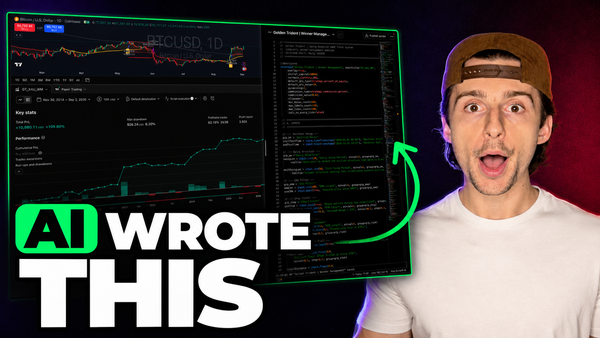
For example, one strategy built this way was an "adaptive regime squeeze breakout." After a few variations and tweaks based on backtest results, it was refined into a version now trading Bitcoin automatically. The AI generated the entire source code just from prompting.
The best AI results for generating trading strategy code have come from Claude, ChatGPT, and Grok specifically. The AI of your choice matters less than your ability to clearly communicate the logic you want.
Prerequisites: What You'll Need
Before you build your first bot, here's what to have ready:
| Requirement | Details |
|---|---|
| AlphaInsider account | Free to create; lets you automate your first strategy at no cost. |
| A brokerage account | For crypto: Hyperliquid, Bitfinex, or Binance. For stocks: Alpaca. |
| Starting capital | Minimum $100, though a bit more is recommended to withstand volatility. |
| A trading strategy | Either build your own or subscribe to one on AlphaInsider. |
| (Optional) TradingView | Needed only if you want to bring in your own custom strategies. |
| (Optional) An AI tool | Claude, ChatGPT, or Grok, if you want to generate your own strategy code. |
Skill level: Beginner-friendly. No coding experience required.
Time estimate: You can go from signup to a live automated bot in well under an hour.
Important note on custody: Your funds stay on your own brokerage platform. AlphaInsider never has access to withdraw or deposit — connecting your public and API keys only grants the ability to send trades in and out of positions on your behalf.
Two Ways to Get Your Trading Strategies
The "brain" behind any trading bot is its strategy. You have two main paths to get one:
- Build your own and bring it in from TradingView (great for private, custom edges).
- Subscribe to existing strategies from AlphaInsider's public library of thousands of options.
Most traders end up using a mix of both. Here's why building your own matters: when a strategy becomes public knowledge, more people copy it, and its edge starts to diminish. This is a concept called alpha decay — and it's a genuinely important idea in trading. Having at least a few private strategies in your arsenal that no one else can see gives you an edge you control.
How to Bring In Your Own Strategy from TradingView
If you have a strategy you like the backtest on in TradingView, connecting it to AlphaInsider is straightforward:
- On your strategy in TradingView, click the three dots and choose Create Alert.
- Add the AlphaInsider new order webhook.
- Go to the alert message field.
- In AlphaInsider, open the Connections option to find the message you need to paste in.
- Paste the message into your TradingView alert.
- Confirm the details are correct: stock ID, leverage, pyramiding, and API token.
Once that's set, every trade triggered in TradingView gets sent to AlphaInsider almost instantly. You'll see the trade, the price, the alert, the direction (buy, long, short), and the size — all tracked on one page so you can verify performance over time. It's a genuinely fun experience worth trying at some point.
How to Choose Strategies from AlphaInsider
Don't want to pay for TradingView or build your own? No problem. AlphaInsider's homepage has a list of thousands of trading strategies you can sort and filter, including:
- TradingView strategies that other users have brought in.
- AI agent strategies, such as a Congress tracker — an AI agent that fires a trade every time a member of Congress updates their trade reports, letting you copy their trades automatically.
When browsing, sort by metrics like drawdown and number of trades to find something consistent. But here's the critical insight most beginners miss:
Don't just pick the top performers. The highest performers are usually the most volatile, and they rarely stay on top forever — especially as more people discover them and as markets inevitably change. Instead, look for a strategy with:
- Good track record over time (not just a recent hot streak).
- Reasonable, consistent performance rather than a chart that's gone straight up lately.
- Trade logic you actually understand after reading the trade logs and history.
For instance, some strategies are swing trading or hybrid investing styles — they get long when a signal fires and stay long until conditions warrant exiting. A strategy riding the 200-period moving average on a stock like Google might not fire a new trade for a year, simply because it's riding a sustained uptrend. That might be exactly what you want — or not. The point is to understand what the strategy does before trusting it.
A number of trades doesn't equal quality. A strategy with few trades isn't automatically worse than one with many. Read the logic first.
Step-by-Step: Build Your Trading Bot
Here's how to turn your chosen strategies into a live, automated trading bot.
-
Find a strategy you like. For this example, we'll use a Bitcoin strategy up 47% over the past year and 61% over five years, with a max drawdown of 39%. (High drawdown is expected with Bitcoin — and it's manageable if you don't allocate everything to one strategy.)
-
Subscribe to the strategy. This adds it to your Subscriptions tab, where every trade fired shows up as a dot so you can see how active it is.
-
(Optional) Turn on alerts first. If you're new, enable notifications and trade manually for a while to build confidence before automating.
-
Click Auto Trade. When you're ready, hit the auto button on your chosen strategy.
-
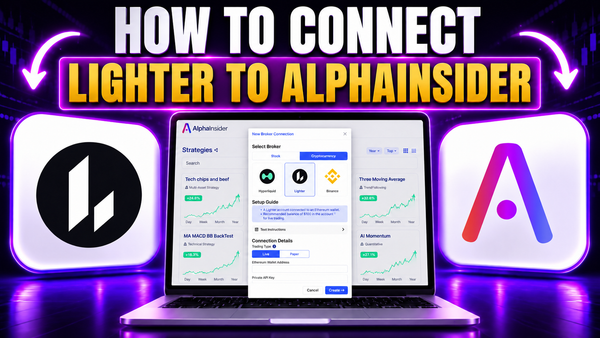
Connect your broker. Because crypto and stocks can't be combined in the same bot, you'll create separate bots. Go to New Broker Connection and select your broker — Hyperliquid, Bitfinex, or Binance for crypto, or Alpaca for stocks. (Hyperliquid is a popular crypto choice for its leverage, ease of use, and no-KYC setup — though you may need a VPN in restricted regions.)
-
Add your API keys. Enter your public and API keys. Remember: this only allows AlphaInsider to place trades — never to touch your funds.
-
Land on your bot page. Once your keys are in, you'll see your selected strategy on screen. That's your bot.
-
Set your allocation. By default, 100% of your portfolio is available. Enter a percentage (e.g., 10%) to limit how much of your connected funds go to this strategy.
-
Click Save. Your bot is now live. If the strategy button is red, click it to turn it green — this reallocates your positions and lets the bot decide what to do.
If a strategy has active live positions, your bot will automatically rebalance to put you into those positions. If it's sitting in cash (USD), your bot simply waits for the next signal.
How to Diversify and Allocate Your Portfolio
The real power of a trading bot is diversification through allocation. You can spread your capital across multiple strategies to avoid putting all your eggs in one basket.
Here's how allocation works in practice:
- Start with one strategy at 10% of your account.
- Click Add New Allocations to search your subscriptions or your own portfolio.
- Add a private strategy — say a manual "TCbot" connected to a Telegram channel — at 85%.
- Add a third strategy you've had success with at 5%.
Now your bot runs three strategies at 5%, 10%, and 85% allocations. When you add strategies with active positions, the bot rebalances automatically to fit them.
This structure also lets you prepare for different market conditions. Many strategies are long-only and thrive in bull markets. But you can take a mean reversion strategy, access its TradingView source code, use AI to reverse it, and create a short-side version for bear markets. By allocating across long and short strategies, you position your portfolio to survive when the market flips — without suffering through a brutal stretch where your long strategies simply aren't working.
Adjusting Leverage and Slippage Settings
Inside your bot's Settings, you can fine-tune two important controls:
- Leverage: Adjust how much leverage the bot uses (for example, bumping it up to 7x). Higher leverage amplifies both gains and losses — use it carefully.
- Max Slippage: The maximum percentage from the current price at which orders can be filled. If a strategy fires but the bot can't get you in within, say, 0.5% slippage, it won't fill the order. This protects you from taking on high-slippage trades in fast-moving markets.
Once you've set these, save your settings and you're good to go.
Tips and Best Practices
- Start small. You can begin with $100 of your own funds, but consider a bit more to withstand volatility.
- Use alerts before automating. Trade manually first to understand how a strategy behaves.
- Read the trade logs. Understand why a strategy trades the way it does before trusting it.
- Check in regularly. Review your bot weekly — confirm it's operating properly, adjust positions, and add or remove strategies on the fly.
- Keep at least one private strategy to protect your edge from alpha decay.
- Diversify across strategies and market directions so you're not overexposed to a single approach.
Common Mistakes to Avoid
- Expecting passive riches. A bot is not free money — it can lose as easily as it wins.
- Chasing the top performers. The flashiest, highest-returning strategies are usually the most volatile and rarely stay on top.
- Putting all your eggs in one basket. Automating a single strategy with 100% of your account concentrates your risk. Use allocation percentages to diversify.
- Ignoring drawdown. A 39% max drawdown isn't the end of the world if you allocate properly — but never assume the max drawdown can't get worse.
- Skipping the research. Don't automate a strategy you don't understand.
- Setting and forgetting entirely. While it can be nearly passive, checking in periodically keeps things running smoothly.
Frequently Asked Questions
Do I need to know how to code to build a trading bot?
No. With AI tools like Claude, ChatGPT, and Grok, you can generate strategy code just by describing what you want in plain English. AlphaInsider also lets you subscribe to pre-built strategies with no code at all.
Can a trading bot really trade while I sleep?
Yes — if you're trading crypto, which runs 24/7. Stock market bots only trade during normal market hours, so you won't see overnight action on stocks.
How much money do I need to start?
The minimum is around $100 of your own funds on your connected brokerage. A bit more is recommended so you can better withstand volatility.
Is a trading bot 100% passive income?
No. It's not magic and won't make you rich overnight. Once set up, it can run nearly passively, but you should still check in periodically to adjust strategies and confirm everything is working.
Can AlphaInsider access or withdraw my money?
No. Your funds stay on your own brokerage. Connecting your API keys only lets the platform place trades on your behalf — it cannot deposit or withdraw.
What is alpha decay?
Alpha decay is when a trading strategy loses its edge as more people discover and copy it. This is why keeping some private strategies in your arsenal is valuable.
Can I trade both stocks and crypto in one bot?
No. Crypto and stocks require separate bots, since they use different brokers (e.g., Hyperliquid for crypto, Alpaca for stocks).
How do I reduce my risk when starting out?
Allocate only a percentage of your account to each strategy. For example, put 10% into one strategy so that even a large drawdown affects only a small slice of your total funds.
Can I make a bot for bear markets?
Yes. You can access a strategy's source code, use AI to reverse the logic, and create a short-side version that operates when the market turns bearish.
Is automating a strategy free?
You can automate your first trading strategy for free with an AlphaInsider account. Automating additional strategies requires an account upgrade.
Conclusion
Building a trading bot in 2026 no longer requires coding skills, a huge bankroll, or a $2,000 course. With AlphaInsider, you can bring in your own AI-generated strategies, subscribe to proven ones from a library of thousands, and automate the whole thing across crypto and stocks — all while keeping full custody of your funds.
The key is to stay realistic: a bot is a tool, not a money printer. Do your research, understand your strategies, diversify your allocations, and check in regularly. It's not fully passive, but once it's set up, it can run on your behalf so you never miss an opportunity — even in your sleep.
Ready to build your first bot? Create a free AlphaInsider account, connect your broker, and automate your first trading strategy at no cost today. Happy trading.