TradingView Backtest vs Live Trading: Why They Diverge and How to Fix It
Why TradingView backtests don’t match live trading or AlphaInsider forward tests — and how to fix them with Pine Script tweaks and AI audits.

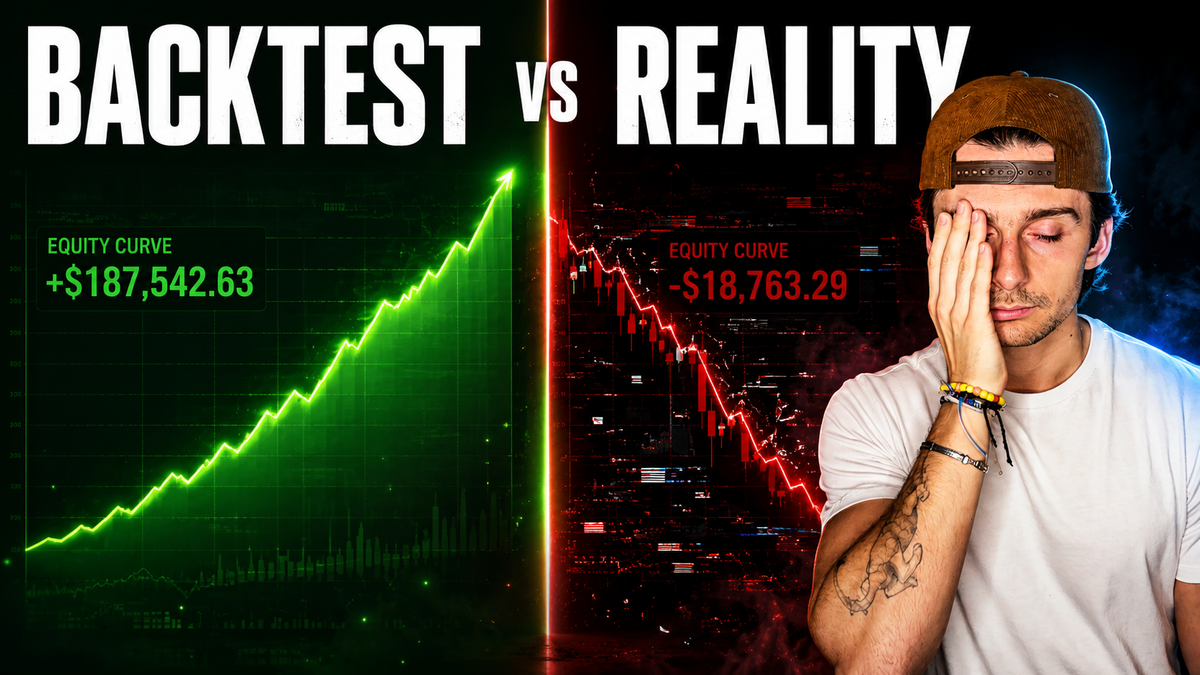
You've built a solid trading strategy in Pine Script on TradingView. The backtest looks excellent — strong returns, manageable drawdowns, and clear rules. You're ready to trade it live or forward test it on AlphaInsider. Then the disappointment hits: the live or forward-tested trades don't match the backtest at all. Entries appear out of nowhere, exits happen at unexpected times and prices, and the performance diverges sharply from what the historical simulation promised.
This frustrating mismatch is extremely common, especially for traders new to Pine Script or those moving strategies from backtesting into real execution. The strategy itself is probably not broken. It is simply doing exactly what the code tells it to do. The problem lies in the fundamental differences between how TradingView backtests work and how live alerts and forward testing actually execute.
By the end of this guide, you will understand precisely why these discrepancies occur and how to fix them — often with just a few setting changes and an AI-assisted code review.
Table of Contents
- Prerequisites / What You’ll Need
- Understanding the Three Pillars of Discrepancy
- Step-by-Step Guide to Fixing Discrepancies
- Common Mistakes to Avoid
- Pro Tips for Robust Strategies
- Frequently Asked Questions
Key Takeaways
- Backtests simulate trades exclusively on fully closed historical bars, while live trading and forward testing execute the moment an alert fires — even mid-bar.
- The three main causes of mismatch are signal integrity (repainting), trigger timing, and fill fidelity.
- Repainting happens when strategies base entry or exit decisions on still-forming candles; these signals shift or disappear once the bar closes.
- Turning off “After order is filled” and “On every tick” in strategy properties prevents most phantom trades and mid-bar order spam.
- Using AI to audit your Pine Script for repainting risks is fast, effective, and helps you build non-repainting logic from the start.
- Forward testing with automated webhook delivery to AlphaInsider removes manual slippage and gives you trustworthy live-performance data before risking real capital.
- Dramatic changes in backtest results when toggling the bar magnifier often signal that performance relies on intra-bar assumptions that won’t hold up live.
Prerequisites / What You’ll Need
Before diving into fixes, make sure you have the following:
- A TradingView account with a Pine Script v5 strategy that has already been backtested.
- Access to the Pine Editor so you can copy the full source code.
- An AI assistant (Claude, Grok, ChatGPT, or Gemini) for code auditing.
- (Strongly recommended) An AlphaInsider account — you can forward test up to five strategies for free using webhooks from TradingView alerts.
- A clear understanding of your strategy’s intended logic (entries, exits, stops, and risk rules).
Time estimate: 30–90 minutes for diagnosis and initial fixes, depending on strategy complexity. Skill level: beginner to intermediate Pine Script users will benefit most.
Understanding the Three Pillars of Discrepancy
A backtest and a live or forward-tested trade only produce matching results when three conditions are met. Break any one of them and divergence is almost guaranteed.
Signal integrity — Does the exact same signal exist on a live bar as it did in the historical data? If your logic reads values from a candle that is still forming, the signal can change or vanish by the time the bar closes. This is the classic definition of repainting.
Trigger timing — When does the alert actually fire? Backtests wait for bar close and use the final confirmed values. Live alerts can fire intra-bar the moment conditions are met on the forming candle.
Fill fidelity — At what price, size, and direction does the order actually fill? Backtests often assume a fill at the close price or a specific stop level. Live fills depend on real market conditions, order type, slippage, and whether the strategy recalculates mid-bar.
Understanding these three pillars is the foundation for every fix that follows.
Step-by-Step Guide to Fixing Discrepancies
Step 1: Diagnose Mismatches by Comparing Logs
Open your strategy on AlphaInsider (or your live/paper account) and locate a recent trade. Note the exact entry time and price. Then open the same strategy on TradingView and check the strategy tester’s trade list or visual orders for the same period.
Look for differences in:
- Entry timing (different bar or different time within the bar)
- Entry price
- Exit timing and price
If the signal fires at roughly the same time but fills are consistently worse, you are likely dealing with slippage. Increase the slippage value in the strategy properties and re-run the backtest. If timings and prices are completely different, you are probably looking at repainting or mid-bar order generation.
Step 2: Test for Repainting Using Bar Replay
On TradingView, open the strategy and start a new bar replay session. Play the chart forward slowly.
Watch the entry and exit markers carefully. If a signal appears, then shifts, disappears, or jumps to a different price level as the bar develops and eventually closes, your strategy is repainting. This is one of the fastest visual confirmations that signal integrity is broken.
Step 3: Audit Your Pine Script with AI
Copy your entire Pine Script source code. Paste it into your preferred AI and add a clear audit request focused on repainting and live vs backtest alignment.
Key items the AI should check:
- Any use of
request.securitywithlookaheadenabled - Whether
calc_on_every_tickis true (should normally be false) - Whether signals are generated from still-forming bars instead of closed bars
- Asymmetries between stop/limit orders and market orders at bar close
- Trailing stops or ATR-based exits that may fill differently intra-bar versus at close
In most cases the AI will confirm the script is not a classic repainter, flag any signals based on unclosed bars, and note that trailing exits are usually safe because they fill at a defined level in both environments. It may highlight ATR or market-order exits as a source of asymmetry because the backtest fills at the closing price of the bar that breached the level, while live trading can fill closer to the actual stop price.
The AI will then return an updated version of the script. Backtest results usually stay very similar, but live and forward-test behavior improves because the logic now respects closed-bar decisions where it matters.
You can (and should) train your AI from the very first prompt when building new strategies by explicitly stating that all signals must be based on closed bars unless a stop or limit order is intentionally placed on a confirmed level.
Step 4: Optimize Strategy Properties for Live Trading
Before you create any alert or webhook, configure the strategy properties tab correctly. These settings have an outsized impact on whether phantom trades appear in forward tests.
Default order size — For crypto strategies, “Percent of equity” (often 100%) works well when treating the strategy as its own sub-account. Fixed quantity or fixed dollar amounts can sometimes produce more stable backtest-to-live alignment.
Pyramiding — Set to 1 (or your intended maximum) so additional entry signals in the same direction are ignored once you are already in a position.
Commission and slippage — Set realistic values based on your broker or exchange. Start with 5 ticks of slippage as a buffer. Once the strategy performs well, increase slippage to 20–25 ticks and retest. If performance collapses, the edge may not survive real-world costs.
Recalculate section (most important for eliminating phantom trades):
- Uncheck “After order is filled” — prevents the strategy from recalculating and potentially firing more orders inside the same bar.
- Uncheck “On every tick” — forces evaluation only at bar close. This single change removes the majority of mid-bar entries that never appear in a standard backtest.
Fill orders section:
- Check “Bar magnifier” — gives the backtest access to lower-timeframe data to resolve intra-bar stop and limit fills more realistically. Note that this only affects the backtest; live trading has no magnifier.
- Check “On bar close” — ensures fills occur at the confirmed close price of the bar (or next bar open if unchecked). This setting helps keep backtest fills consistent with how alerts behave when set to bar close.
After making these changes, re-run the backtest and compare results with and without the bar magnifier. A dramatic performance swing when toggling the magnifier is a red flag — it means a large portion of your historical edge lives inside intra-bar price assumptions that live trading cannot replicate.
Step 5: Set Up Alerts and Webhooks
With properties correctly configured, go to the three-dot menu on your strategy and create an alert. Choose “Webhook URL” and paste your AlphaInsider webhook endpoint (or your own broker webhook).
Because you have turned off recalculation on every tick and after fill, the alert will now fire only at confirmed bar close. This dramatically reduces the chance of phantom trades appearing in your forward test.
Step 6: Forward Test and Iterate on AlphaInsider
Send the strategy to AlphaInsider and let it run. Compare new trades against the backtest log for timing and fill prices. Small differences are normal due to real-market slippage. Large or frequent differences usually point back to one of the three pillars.
Repeat the cycle: adjust slippage or commission in the backtest, re-audit with AI if new issues appear, and forward test again. Each iteration makes the strategy more robust and gives you genuine confidence before allocating real capital.
Common Mistakes to Avoid
- Leaving “On every tick” or “After order is filled” enabled — this is the fastest way to generate dozens of phantom trades that the backtest never took.
- Ignoring realistic slippage and commission — optimistic backtests that assume perfect fills almost always disappoint live.
- Relying solely on visual backtest results without checking the trade list or logs.
- Turning on the bar magnifier without testing its impact — big swings indicate the strategy is not robust to live conditions.
- Creating alerts before locking down strategy properties — you will simply forward-test the same flawed behavior faster.
Pro Tips for Robust Strategies
Build every new strategy with closed-bar logic in mind from the first prompt you give your AI. Include explicit instructions about signal integrity, trigger timing, and fill fidelity.
After any backtest that looks promising, run the AI audit before you ever create an alert. Catching repainting issues at this stage saves hours of confusing forward-test logs later.
Use AlphaInsider’s automated webhook delivery instead of manual trading or simple alerts. The reduced slippage and automatic logging give you clean data to compare against the backtest.
Remember: a backtest is only useful if the strategy can actually trade that way live. The goal is not a beautiful equity curve on historical data — it is reliable performance when real money is on the line.
Frequently Asked Questions
What is repainting in TradingView strategies?
Repainting occurs when a strategy generates signals based on data from a candle that is still forming. Once the bar closes and final values are confirmed, the signal can shift, move, or disappear. This causes live or forward-tested trades to differ from the backtest, which always uses closed-bar data.How do I prevent repainting in Pine Script?
Base all entry and exit decisions on closed bars. Turn off “On every tick” and “After order is filled” in the strategy properties. Use AI to audit your code specifically for signals generated from unclosed bars and request.security lookahead issues.Should I use the bar magnifier in TradingView?
Yes, turn it on for better intra-bar resolution of stops and limits during backtesting. However, always compare results with the magnifier on and off. Large performance differences indicate your strategy depends on intra-bar assumptions that live trading cannot match.What settings stop phantom trades from appearing in forward tests?
Uncheck both “After order is filled” and “On every tick” in the Recalculate section of strategy properties. These two changes alone eliminate the majority of mid-bar orders that never appear in a standard backtest.What is the core difference between backtest execution and alert execution?
Backtests wait for each historical bar to fully close before evaluating conditions and simulating fills. Alerts fire the moment the coded conditions are met on the live or forming bar, which can be well before the bar closes.How does AlphaInsider help with accurate forward testing?
AlphaInsider receives webhook alerts from TradingView the instant they fire, matches the current market price, and automatically logs every entry, exit, and performance metric. This removes manual execution delays and gives you clean, comparable data against your backtest.Is my trading strategy broken if the backtest and live results don’t match?
Almost never. In the vast majority of cases the code is working exactly as written. The mismatch comes from repainting, mid-bar recalculation, unrealistic fill assumptions, or missing slippage and commission settings. Fixing these factors usually aligns results without rewriting the entire strategy.How do I use AI to audit my Pine Script for live-trading issues?
Copy your full script and paste it into Claude, Grok, ChatGPT, or Gemini along with a clear audit prompt. Ask the AI to check for repainting risks, lookahead bias, calculate-on-every-tick behavior, and asymmetries between backtest fills and live order execution. The AI will flag problems and usually return an improved version of the code.Conclusion
A beautiful backtest is meaningless if the strategy cannot trade that way when real capital is at risk. The good news is that most mismatches between TradingView backtests and live or forward-tested results are fixable. By understanding signal integrity, trigger timing, and fill fidelity — and by making a handful of deliberate changes to your Pine Script settings and code — you can bring the two much closer together.
Use the bar replay test and AI audits as your early warning system. Lock down the recalculate and fill-order settings before you ever create an alert. Forward test rigorously on AlphaInsider so you know exactly how the strategy behaves with real market conditions and realistic slippage.
When you reach the point where forward-test results reliably track the backtest, you can move forward with genuine confidence. That is how robust, trustworthy trading strategies are built.
Ready to put these fixes into practice? Create your free AlphaInsider account today and forward test up to five strategies at no cost. Have questions about your specific strategy or Pine Script audit results? Leave a comment below or reach out to AlphaInsider support — we’re here to help you build strategies that actually work live.