How to Automate Trades on AlphaInsider
Learn how to automate trades on AlphaInsider step by step: subscribe to a strategy, connect a broker, set allocations, and turn your bot on.

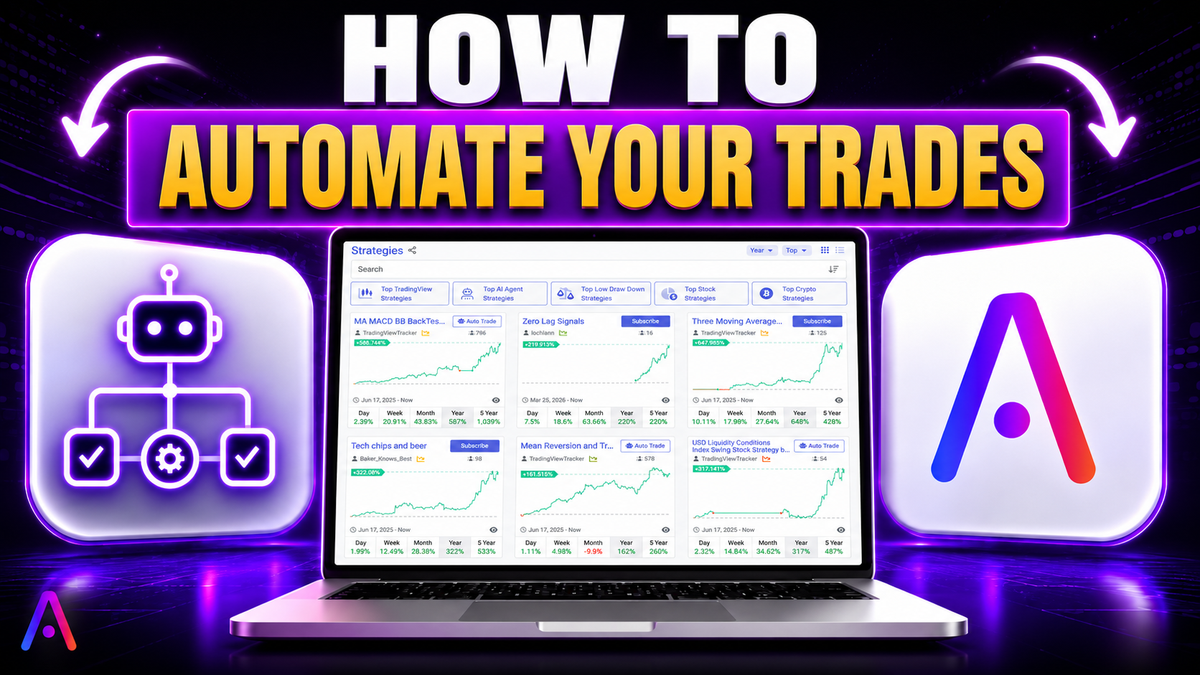
Want to put your trading on autopilot? On AlphaInsider, you can automate any trading strategy on the site, whether it's a public strategy from the marketplace or a private one you've built yourself. Once connected to your brokerage, the platform fires off trades for you automatically, with no manual order entry required.
This step-by-step guide shows you exactly how to automate trades on AlphaInsider, from finding a strategy to connecting your broker and turning your trading bot on. You'll also learn how to allocate funds across multiple strategies for smarter diversification and risk management.
Whether you're trading stocks or crypto, automation works the same way: subscribe, connect a broker, set your allocation, and let the bot handle the rest. Let's walk through the entire process.
Table of Contents
- Key Takeaways
- Prerequisites: What You'll Need
- How to Find a Strategy in the Marketplace
- Step-by-Step Guide to Automating Trades
- Broker Options for Stocks and Crypto
- Understanding the New FINRA Margin Rule
- Managing Multiple Strategies
- Important Bot Settings: Leverage and Slippage
- API Keys and Account Safety
- Tips and Best Practices
- Common Mistakes to Avoid
- Frequently Asked Questions
- Conclusion
Key Takeaways
- You can automate any strategy on AlphaInsider, public or private, including ones you've imported from TradingView or built yourself.
- Automation requires three steps: subscribe, connect a broker, set your allocation.
- Stock strategies connect through Alpaca; crypto strategies connect through HyperLiquid, Bitfinex, or Binance.
- The new FINRA rule lowered the margin requirement from $25,000 to just $2,000 for automated trading.
- You can split your account across multiple strategies (up to 100) for built-in diversification and risk management.
- API keys give no withdrawal or deposit permissions, only the ability to execute trades on your behalf.
Prerequisites: What You'll Need
Before you can automate trades on AlphaInsider, make sure you have these ready:
- A free AlphaInsider account. Sign up with a username, email, and password. There's no cost to create one.
- A connected brokerage account with the required minimum balance (details below).
- Your broker API keys, which you'll generate and enter during setup.
- A strategy to automate, either subscribed from the marketplace or created by you.
Skill level: Beginner-friendly. If you can follow a setup video and copy-paste API keys, you can automate trades.
Time required: Around 10 to 15 minutes for your first setup, including broker connection.
How to Find a Strategy in the Marketplace
Start on the AlphaInsider homepage and scroll down to the Explore Marketplace section. This is where you discover strategies to automate.
From the marketplace, you can:
- Browse top strategies by year, month, week, or day.
- Sort by trending, performance, new strategies, or popularity (most subscribers).
- Search using the top search bar or apply filters with the dropdown to narrow results.
For example, you can sort by top stock strategies and add a filter for at least 10 trades over the past year to surface more active performers. The platform even includes a Congress Tracker that follows the trades of every member of Congress, so strategies like those of certain representatives appear right alongside community-built ones.
Some top performers shown in the marketplace were up significantly, with one example up 125%. As always, some strategies perform well and others poorly, so review the data before subscribing.
Step-by-Step Guide to Automating Trades
Here's the complete process to get your trading bot live.
Subscribe to a Strategy
- Find a strategy you like in the marketplace (for example, a high-performance long-only CCI strategy).
- Click the Subscribe button.
- A pop-up appears. Click I understand and agree.
Once subscribed, the strategy lands in your Subscriptions tab, and the Subscribe button changes into an Auto Trade button.
Subscribing alone does not mean you're trading or automating a strategy; it simply means you're keeping track of it. You can also set a notification icon to get alerted every time the strategy fires a trade or the creator posts an update. Download the AlphaInsider app from the App Store to receive these alerts on your phone, not just by email or browser.
Connect Your Broker
- Click the Auto Trade button.
- Depending on whether the strategy trades stocks or crypto, you'll see different broker options.
- If you don't already have a trading bot for that asset type, you'll get a new broker connection prompt.
- Click your chosen broker. A setup video is provided for each one.
- Generate your API keys following the video, then enter them in the bottom right.
Once your keys are entered, your broker is connected and you're ready to allocate funds.
Set Your Allocation
After connecting, you'll reach the allocations page for your subscribed strategy.
- Set any value from 0 to 100, where 0 means you're trading nothing and 100 means your entire balance trades that strategy.
- You can also allocate by dollar amount instead of percentage.
- Click Save.
This is one of AlphaInsider's most powerful features. You can take in multiple strategies and specify how much of your account trades each one, giving you a simple way to diversify and manage risk. Allocate smaller amounts to riskier strategies and larger amounts to safer ones, or however you see fit.
Turn the Trading Bot On
After saving your allocation, you'll see your bot dashboard with your info, your strategies, and your trading bot performance.
- A green button means your trading bot is on.
- A red button means your trading bot is off.
If the button is red, click it, acknowledge and agree, then confirm. The bot will then look at what positions the strategy is currently in and automatically rebalance your account to match, whether that's one strategy or many.
To stop the bot, click the green button, choose Stop, and it will close out positions before turning off.
Broker Options for Stocks and Crypto
The brokers available depend on the asset type your strategy trades.
| Asset Type | Broker(s) | Minimum Deposit | KYC Required? |
|---|---|---|---|
| Stocks | Alpaca | See FINRA rule below | Standard brokerage KYC |
| Crypto | HyperLiquid | $100 | No KYC (decentralized) |
| Crypto | Bitfinex | $100 | Yes |
| Crypto | Binance | $100 | Yes |
A few important notes on the crypto brokers:
- All three crypto brokers require a $100 minimum deposit.
- Bitfinex and Binance are KYC-required.
- HyperLiquid requires no KYC and is a decentralized exchange. If you're in the United States, you'll need a VPN to access HyperLiquid for account creation, login, or manual trading. This is informational only, not advice to do so.
Every broker has a setup video shown directly beneath the broker selection when you connect.
Understanding the New FINRA Margin Rule
For stock automation through Alpaca, the Pattern Day Trader (PDT) rule has recently been removed, and it's a big deal.
Previously, you needed $25,000 in a margin account to make more than three day trades in a five-day span. That requirement no longer exists. Now, to access margin (which AlphaInsider automations require), you only need $2,000 in your margin account. This lets you day trade freely and use margin.
A critical caveat: if your balance falls below $2,000, you don't lose your money, but the automated trading bot turns off. You won't be able to trade until your balance is back above $2,000.
Because of this, keep a buffer. Starting around $2,500 is a safer spot, especially if you're running volatile strategies, keeping leverage lower, and choosing less risky strategies. If you hover near the $2,000 threshold, you may need to add funds back in to keep the bot running.
Managing Multiple Strategies
You don't have to stick with a single strategy. To add another to your existing trading bot:
- Go to the Strategy option on your bot, or sort strategies on the homepage, or open your Subscriptions tab. All routes lead to the same place.
- From your trading bot, click New Allocations (it defaults to your subscriptions).
- Select the strategy you want to add.
- Set your split, for example 50% to one strategy and 50% to another.
- Click Save.
The bot then rebalances based on both strategies automatically. You can run up to 100 strategies in a single bot, each with its own allocation.
Inside your bot, you'll also find an Activities tab showing starts, stops, and rebalances, a notifications icon, and options to update keys or reset performance.
Important Bot Settings: Leverage and Slippage
Two settings deserve special attention in your bot's configuration.
- Slippage: This sets the maximum percentage from the current price at which orders can be filled. For swing trading, leaving the default is fine, but you can raise or lower it based on your risk tolerance and how much slippage you'll accept.
- Leverage: Adjust according to your risk appetite; lower leverage means lower risk.
Also important is the Rebalance on Start / Close on Stop setting:
- With Close on Stop enabled, stopping the bot automatically exits all active positions, so you don't have to do anything manually.
- With it disabled, stopping the bot halts new trading but leaves your current positions open, meaning you'd have to close them yourself in your brokerage account.
Keeping Close on Stop on is the simplest, most worry-free option.
API Keys and Account Safety
Security matters when connecting any brokerage. Here's what you need to know:
- You can revoke your API keys at any time, but doing so stops the bot from trading.
- API keys give no withdrawal or deposit permissions. They only allow AlphaInsider to send trade instructions to your broker, which then executes them on your behalf.
- Don't manually trade in a connected account. When strategies rebalance, the bot detects anything that "shouldn't be there" and closes it out.
Tips and Best Practices
- Keep a balance buffer. Start around $2,500 for stock automation so a dip below $2,000 doesn't shut off your bot.
- Diversify with allocations. Spread your account across multiple strategies and weight them by risk level.
- Use private strategies for testing. You can automate private strategies that no one else can see, perfect for testing on paper or live before going public.
- Enable notifications and the app. Stay informed of trades and creator updates in real time.
- Watch your slippage setting. Tune it to match your trading style, whether swing trading or something more active.
Common Mistakes to Avoid
- Manually trading a connected account. The bot will rebalance and remove positions it doesn't recognize.
- Letting your balance drop below the minimum. Falling under $2,000 turns off the stock trading bot.
- Forgetting to enable Close on Stop. Without it, stopping the bot leaves your positions open and you'll have to close them manually.
- Confusing subscribing with automating. Subscribing only tracks a strategy; you must connect a broker and set an allocation to actually automate it.
- Skipping the VPN requirement for HyperLiquid in the US. US users need a VPN to access this decentralized exchange.
Frequently Asked Questions
Can I automate any strategy on AlphaInsider?
Yes. You can automate any public strategy from the marketplace or any private strategy you've created or imported, including from TradingView.
Is an AlphaInsider account free?
Yes. Creating an account is completely free. You only need to fund the brokerage account you connect for automated trading.
Which brokers can I use for stocks?
Stock strategies currently connect through Alpaca.
Which brokers can I use for crypto?
Crypto strategies connect through HyperLiquid, Bitfinex, or Binance, each requiring a $100 minimum deposit.
How much money do I need to automate stock trades?
You need $2,000 in your margin account under the new FINRA rule (down from $25,000). If your balance falls below $2,000, the bot turns off until you're back above it.
Do my API keys give AlphaInsider access to my funds?
No. API keys grant no withdrawal or deposit permissions. They only allow trades to be executed on your behalf.
Can I run more than one strategy at the same time?
Yes. You can run up to 100 strategies in a single bot and set a custom allocation for each, weighting by risk.
What happens if I manually trade in a connected account?
When the bot rebalances, it detects positions that don't belong to your strategies and closes them out, so manual trading is discouraged.
Does stopping the bot close my positions?
Only if Close on Stop is enabled. With it on, the bot exits all positions automatically. With it off, your positions stay open and you must close them manually.
Do US users need a VPN for any broker?
Yes, US users need a VPN to access HyperLiquid, a decentralized, no-KYC exchange, for account creation, login, or manual trading.
Conclusion
Automating trades on AlphaInsider comes down to three simple steps: subscribe to a strategy, connect your broker, and set your allocation. From there, your trading bot rebalances and executes trades for you, whether you're running a single strategy or diversifying across many. With the FINRA margin requirement now just $2,000 for stocks and flexible $100 crypto options, automated trading is more accessible than ever.
Remember to keep a balance buffer, enable Close on Stop for peace of mind, and never manually trade a connected account. Your API keys stay safe with no withdrawal access, so you're always in control.
Ready to put your trading on autopilot? Head to alphainsider.com, sign up for free, explore the marketplace, and automate your first strategy today. Happy trading.