How to Forward Test Your TradingView Strategy with AlphaInsider
Learn how to forward test TradingView strategies on AlphaInsider. Webhook setup for real-time verified performance. Free up to 5 strategies.

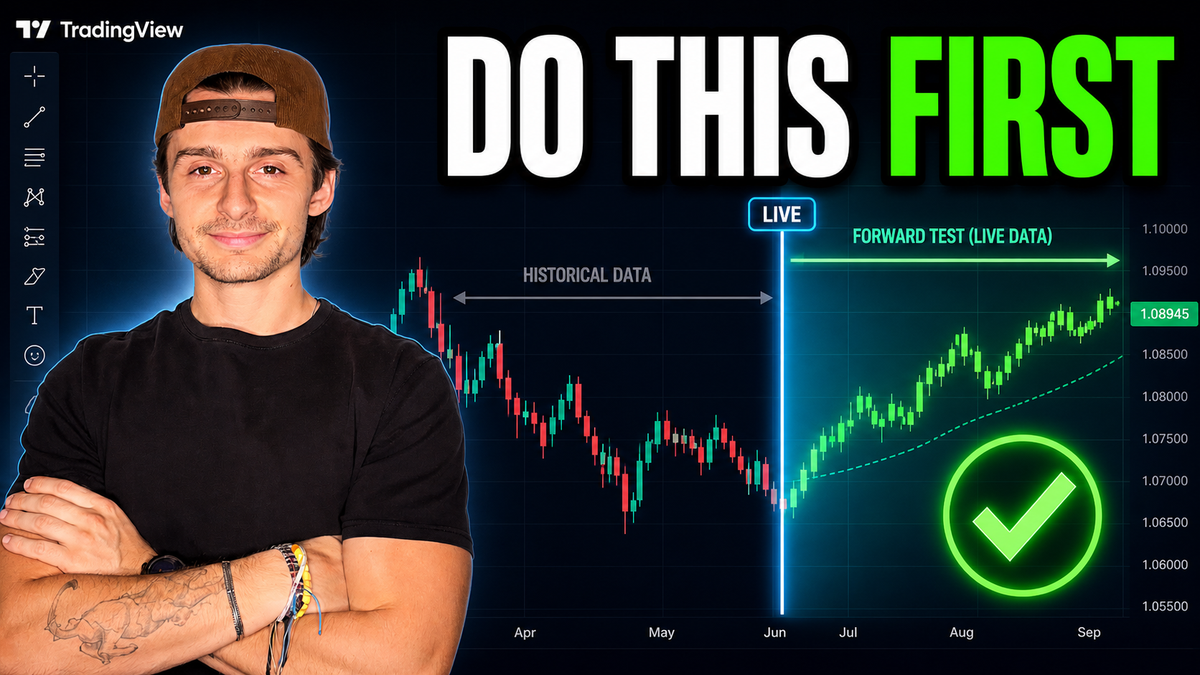
Tired of wondering if your TradingView backtest will actually hold up in real markets? Forward testing a TradingView strategy lets you verify performance under live conditions, exposing issues like curve fitting or repainting before you risk real capital. In this step-by-step guide, you'll learn exactly how to forward test your TradingView strategy using AlphaInsider — the premier platform designed specifically for this purpose. Every trade alert from TradingView gets automatically logged, giving you verified, timestamped results that match live market execution.
Whether you're trading crypto like ETH or stocks, this process turns your backtested idea into a forward-tested reality. Best of all, you can start completely free on AlphaInsider with up to five strategies.
Table of Contents
- Prerequisites / What You’ll Need
- Step-by-Step Guide to Forward Testing Your TradingView Strategy
- Tips & Best Practices
- Common Mistakes to Avoid
- How to Verify Your Forward Test Matches the Backtest
- Frequently Asked Questions
- Conclusion
Key Takeaways
- Forward testing reveals whether your TradingView strategy performs as well live as it does in backtests.
- AlphaInsider makes the entire process seamless by receiving TradingView alerts via webhooks and logging verified trades.
- You only need a paid TradingView plan for open-ended alerts and webhooks — AlphaInsider is free for up to five strategies.
- Proper setup includes strategy ID, symbol ID, leverage, and API token for accurate trade execution.
- Once connected, trades appear instantly in your AlphaInsider timeline with precise timestamps for easy verification.
- This live validation builds confidence before automating or trading with real money.
Prerequisites / What You’ll Need
Before you begin forward testing your TradingView strategy, make sure you have these ready:
- A built and backtested strategy on TradingView (Pine Script strategy with clear entry/exit conditions).
- Paid TradingView subscription — required for open-ended alerts and webhook functionality.
- Free AlphaInsider account — supports up to five strategies at no cost.
- Basic familiarity with TradingView alerts and strategy settings.
- Time commitment — forward testing happens in real time, so results accumulate naturally as the market moves.
- Optional but recommended: Enable bar magnifier and “every tick” settings in your TradingView strategy tester for cleaner backtest visuals.
No coding changes to your strategy are needed — everything happens through alerts and webhooks.
Step-by-Step Guide to Forward Testing Your TradingView Strategy
Follow these steps exactly to connect your TradingView strategy to AlphaInsider and begin live forward testing.
Step 1: Create Your Strategy on AlphaInsider
- Log into your AlphaInsider account and navigate to your Portfolio.
- Click New Strategy.
- Enter a clear name (e.g., “Claude Adaptive Momentum Breakout”).
- Add an optional description and link to your public TradingView strategy if available.
- Set a starting balance (e.g., $1,000 or $10,000) for performance simulation.
- Choose Crypto or Stocks based on your asset (select Crypto for ETH examples).
- Set visibility to Public, Private, or Paid.
- Click Create. Keep this page open — you’ll need details from it shortly.
Step 2: Copy Webhook URL and Message Template
On your new AlphaInsider strategy page:
- Scroll to the Resources tab.
- Click Connect to TradingView for detailed instructions (great reference).
- Copy the Webhook URL.
- Copy the full Message template exactly as shown.
Step 3: Set Up the Alert on TradingView
- Open your strategy on the desired chart and timeframe.
- Click the three dots next to the strategy name → Add Alert.
- Set Condition to your strategy.
- Confirm the correct Timeframe.
- Choose Open-ended (only available on paid TradingView plans).
- Enable Webhook and paste the AlphaInsider Webhook URL.
- (Optional) Turn on notifications for email or mobile alerts.
Step 4: Customize the Webhook Message
- Paste the AlphaInsider message template into the alert’s Message field (delete any existing text first).
- Replace the placeholder values:
- Strategy ID: From your AlphaInsider strategy URL (everything after
/strategy/). - Stock ID (or symbol ID): For crypto, find it in the timeline (e.g., “ETHUSD Coinbase”); click the copy button.
- Leverage: Set to 1 (or up to 2 if desired).
- API Token: Generated in the next step.
- Strategy ID: From your AlphaInsider strategy URL (everything after
Step 5: Generate Your API Token
- In AlphaInsider, go to Settings → Developer Settings (or follow the link in Resources).
- Click Create Key.
- Name it (e.g., “TradingView Integration”).
- Select TradingView permissions (automatically enables required trade and webhook access).
- Enter your password and create the key.
- Copy the long API token and paste it into the message template (between the quotes).
- Double-check all four fields, then click Apply on the alert.
Step 6: Activate and Monitor Live Trades
- Save the alert in TradingView — it should now show as active.
- Every time your strategy fires a buy, sell, or exit signal, AlphaInsider will receive it instantly.
- Trades appear in the Timeline section with exact entry/exit prices and timestamps.
- Monitor performance in real time alongside your original backtest.
Tips & Best Practices
- Test on the exact timeframe you plan to trade — results can vary significantly between 2-hour and daily charts.
- Use realistic starting balances and leverage settings to simulate actual account performance.
- Publish your strategy publicly on TradingView if you want to share the Pine Script code.
- Review the Resources tab on AlphaInsider anytime you need a refresher on setup.
- Combine forward testing with solid risk management rules already coded into your strategy.
Common Mistakes to Avoid
- Forgetting to select Crypto when creating a cryptocurrency strategy (this hides symbol options).
- Using incorrect Strategy ID or Stock ID — always copy directly from AlphaInsider.
- Skipping the API token or using an expired key.
- Creating closed-ended alerts instead of open-ended (trades won’t continue firing).
- Not verifying the webhook URL is correctly pasted and enabled.
- Expecting instant results — forward testing requires patience as it runs live.
How to Verify Your Forward Test Matches the Backtest
Once trades start populating:
- Hover over any trade date in the AlphaInsider timeline to see the precise timestamp.
- Cross-reference the entry/exit prices and times against your TradingView strategy tester.
- Confirm arrows and signals appear at the same moments.
- Watch the equity curve grow in real time on AlphaInsider and compare it to your backtest curve.
If discrepancies appear, it’s often due to repainting, slippage, or data differences — exactly why forward testing is so valuable. You can now track live performance confidently before going live with real money or enabling autotrade.
Frequently Asked Questions
What is forward testing and why is it important for TradingView strategies?
Forward testing runs your strategy in real-time market conditions using live price data and actual alert execution. It reveals problems like curve fitting or repainting that backtests often hide.
Do I need a paid TradingView account to forward test?
Yes. Open-ended alerts and webhook functionality require a paid TradingView plan.
Is AlphaInsider really free for forward testing?
Yes — you can forward test up to five strategies completely free. Paid plans exist for more strategies or advanced features.
How do I find my Strategy ID and Stock ID on AlphaInsider?
Strategy ID is the slug in your strategy URL after /strategy/. Stock ID appears in the timeline once you select your symbol (copy button available for crypto pairs like ETHUSD Coinbase).
Can I forward test both stock and crypto strategies?
Absolutely. Just select the correct asset type when creating the strategy and use the matching symbol ID.
How long should I forward test before trusting the results?
Run it for at least several weeks to months, depending on your strategy’s trade frequency. The longer, the better.
Will my existing backtest data transfer to AlphaInsider?
No — AlphaInsider only logs new forward-tested trades. Use it alongside your TradingView backtest for comparison.
Can I automate live trading after forward testing?
Yes. Once verified, many traders connect AlphaInsider directly to their brokerage for automated execution.
What happens if my alert fires but no trade appears?
Double-check the webhook URL, message formatting (especially IDs and token), and that the alert is active and open-ended.
Is there support if I get stuck?
AlphaInsider provides clear Resources tabs and step-by-step guides. The video creator also welcomes questions in the comments.
Conclusion
Forward testing is the missing link between a promising TradingView backtest and a strategy you can actually trade with confidence. By connecting your alerts to AlphaInsider via webhooks, you get verified, real-time performance data that eliminates guesswork.
Take the next step today: sign up for a free AlphaInsider account, create your first strategy, and start forward testing within minutes. Your future trading results will thank you.
Ready to validate your next winning strategy? Head over to AlphaInsider, follow the steps above, and begin forward testing right now. Drop any questions in the comments — happy trading!