How to Create TradingView Strategies with ChatGPT & Automate Them (2026 Guide)
Create a ChatGPT TradingView strategy in minutes. Generate Pine Script, backtest it, then automate on Alpha Insider — no coding needed.

Ever had a trading idea but no way to test if it actually works? Most traders guess — they take a few trades, tweak, and repeat without real data. In this complete tutorial, you’ll discover exactly how to create a ChatGPT TradingView strategy from scratch: generate Pine Script code with ChatGPT, backtest it instantly, and fully automate it on Alpha Insider with zero coding required.
By the end, you’ll have performance stats (win rate, profit factor, drawdown, Sharpe ratio), know if your idea beats buy-and-hold, and have it running live on autopilot through your broker.
Table of Contents
Prerequisites / What You’ll Need
How ChatGPT TradingView Strategies Work
Step 1: Prompt ChatGPT to Generate Pine Script
Step 2: Paste Code into TradingView Pine Editor
Step 3: Fix Errors and Backtest Your Strategy
Step 4: Customize Strategy Settings and Optimize
Step 5: Create TradingView Alerts for Automation
Step 6: Set Up Your Alpha Insider Strategy
Step 7: Connect TradingView Webhook to Alpha Insider
Step 8: Automate Trades with Your Broker
Tips & Best Practices
Troubleshooting Common Issues
Frequently Asked Questions
Key Takeaways
- Use free ChatGPT to generate ready-to-use Pine Script for any trading idea in seconds.
- Backtest instantly in TradingView to see win rate, profit factor, drawdown, and buy-and-hold comparison.
- Automate winning strategies on Alpha Insider via webhooks — no manual order entry ever again.
- Start with paper trading on Alpaca to test risk-free before going live.
- First automation on Alpha Insider is completely free.
- Diversify your trading bot with multiple ChatGPT TradingView strategies for better risk management.
Prerequisites / What You’ll Need
- Free ChatGPT account (paid version optional)
- TradingView account (free plan works for basic backtesting; paid unlocks deeper history and open-ended alerts)
- Alpha Insider account (free to create strategies and test)
- Alpaca broker account (paper trading recommended to start)
- 10–20 minutes for your first strategy
Skill level: Complete beginner. No coding or Pine Script knowledge required.
How ChatGPT TradingView Strategies Work
ChatGPT writes the entire Pine Script code for you based on your description. You paste it into TradingView, run a backtest, and instantly see real performance metrics. Once you like the results, you create an alert that sends every trade signal straight to Alpha Insider via webhook. Alpha Insider then executes the trades automatically through your connected broker — all hands-free.
This removes emotion, human error, and the “did my strategy actually work?” guesswork.
Step 1: Prompt ChatGPT to Generate Pine Script
- Open ChatGPT (free version is fine).
- Use a clear prompt like: “Create a Pine Script code for TradingView strategy that I can copy and paste. [Describe your exact strategy here].”
- Send the prompt and wait for the full code block.
- Copy the entire code (ChatGPT also explains what it does and suggests improvements).
Step 2: Paste Code into TradingView Pine Editor
- Open TradingView and pull up any chart (e.g., SPY or ETHUSD).
- Click the Pine Editor icon (pine tree) on the bottom panel.
- Delete any existing code and paste the full ChatGPT code.
- Click Add to Chart.
If you see an error, copy the exact error message and paste it back into ChatGPT with “Fix this error: [paste error]”. Replace the code and refresh — it usually fixes on the first try.
Step 3: Fix Errors and Backtest Your Strategy
- Once the script loads without errors, rename it (e.g., “Pivot Breakout Strategy”) and save.
- Scroll down on the chart to view the Strategy Tester tab.
- Review key metrics: net profit, win rate, profit factor, max drawdown, number of trades, and buy-and-hold comparison.
- Zoom the chart to different timeframes (365 days, 1 year, all time) to see realistic performance.
Step 4: Customize Strategy Settings and Optimize
Open the strategy settings gear icon:
- Change order size to Percent of Equity (100 %) for full-account simulation.
- Add commissions and slippage for realism.
- Adjust inputs like lookback periods, touch tolerance, long/short filters, etc.
- Switch timeframes (1H, 4H, daily) and assets to find the best fit.
Keep tweaking and re-running backtests until you find a version with a solid equity curve and acceptable drawdown.
Step 5: Create TradingView Alerts for Automation
- In the Pine Editor panel, click the three dots → Add Alert on Strategy.
- Set alert name (e.g., “Pivot Breakout Alert”).
- Choose Webhook URL as the notification method.
- Leave the alert open-ended (no expiration) if your TradingView plan allows.
We’ll fill in the webhook URL in the next step.
Step 6: Set Up Your Alpha Insider Strategy
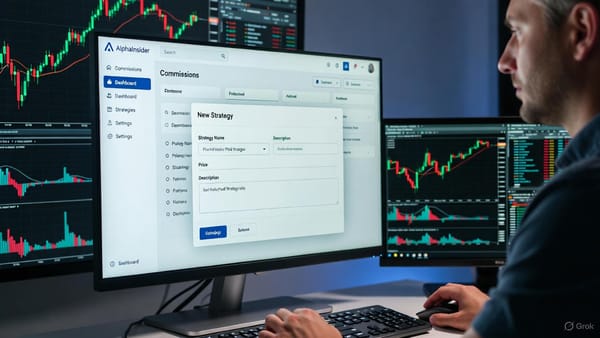
- Log into Alpha Insider → Portfolio → New Strategy.
- Name it exactly as your TradingView strategy (e.g., “Pivot Breakout”).
- Add description, hypothetical starting balance ($1,000 is fine), and set as stock or crypto.
- Make it public, private, or paid.
- Copy the Strategy ID from the URL (after
/strategy/).
Step 7: Connect TradingView Webhook to Alpha Insider
- In Alpha Insider strategy page, scroll to Resources → Connect to TradingView and copy the webhook URL.
- Paste it into your TradingView alert’s Webhook URL field.
- Copy the exact JSON message template from Alpha Insider.
- Paste it into the TradingView alert message box.
- Replace placeholders:
STRATEGY_IDwith your actual Strategy IDSTOCK_IDwith the correct ticker format (e.g.,SPY:NYSE)API_TOKENwith your Alpha Insider developer token (create one under Settings → Developers with “Trading View” permissions).
- Click Create on the alert.
Step 8: Automate Trades with Your Broker
- On your Alpha Insider strategy page, click Autotrade.
- Connect your Alpaca account (start with a paper trading account).
- Set allocation (100 % or split across multiple strategies).
- Enable rebalance on start and close on stop.
- Turn the bot green — it will now automatically execute every TradingView alert in real time.
You can add multiple ChatGPT TradingView strategies to the same bot for diversification.
Tips & Best Practices
- Always compare strategy performance vs. buy-and-hold on the same timeframe.
- Start with paper trading to validate live performance before using real capital.
- Publish your Pine Script publicly on TradingView and link it in your Alpha Insider description so others can view or copy it.
- Use multiple strategies (breakout, dip-buy, chop-market) inside one bot to smooth equity curves.
- Monitor OpenAI usage — it’s free and extremely cheap for this workflow.
Troubleshooting Common Issues
- Pine Script error → Paste the exact error back into ChatGPT; it fixes 95 % of issues instantly.
- Alert not firing → Confirm webhook URL is correct and alert is active.
- Trades not appearing in Alpha Insider → Double-check Strategy ID, Stock ID, and API token in the JSON message.
- High drawdown → Reduce position size or tighten filters in strategy settings.
- Buy-and-hold beats strategy → Test shorter recent timeframes or different assets/timeframes.
Frequently Asked Questions
Do I need paid ChatGPT?
No — the free version works perfectly for generating Pine Script code.
Is TradingView free for this?
Basic backtesting is free. Deep history and open-ended alerts require a paid plan.
How much does Alpha Insider automation cost?
Your first automation is completely free. Paper trading on Alpaca costs nothing.
Can I use this for crypto?
Yes — simply create a crypto strategy on Alpha Insider and connect compatible brokers like Hyperliquid.
Does the strategy beat buy-and-hold?
Backtest results will show you directly. Many ChatGPT-generated strategies beat buy-and-hold on shorter timeframes or specific assets.
Can I share my strategy?
Yes — make it public on Alpha Insider or publish the Pine Script on TradingView for others to copy.
How fast do trades execute?
Alerts fire instantly and Alpha Insider executes them within seconds through your broker.
What if I want to edit the code later?
Just go back to ChatGPT, describe the changes, and regenerate the updated Pine Script.
Conclusion: Ready to Launch Your ChatGPT TradingView Strategy?
You now have a complete, repeatable system to turn any trading idea into a fully backtested and automated ChatGPT TradingView strategy in minutes. No coding, no guesswork — just data-driven decisions and hands-free execution.
Start with one simple idea today, backtest it, connect the webhook, and watch Alpha Insider run it live (paper first). Once it proves itself, scale with multiple strategies inside one diversified trading bot.
Grab your free Alpha Insider account, open ChatGPT, and build your first strategy right now. Your edge is waiting — go test it.
See you in the markets!