Create Your Own Telegram Trading Bot: Step-by-Step Tutorial
Create a Telegram trading bot using n8n, OpenAI & Alpha Insider. Voice/text commands, auto-trading & market posts — complete guide.


Ever wished you could just text or voice-message your trades and have them execute instantly — no spreadsheets, no manual orders, no stress? In this complete 2026 guide, you’ll learn exactly how to create a Telegram trading bot from scratch that reads your commands, manages positions, tracks performance, and even automates everything through your broker.
Whether you’re a crypto trader who wants to go full-port into ETH with a quick voice note or you simply want to track ideas hands-free, this n8n-powered Telegram trading bot makes it effortless. Best of all, the entire workflow is provided as a ready-to-import template — no coding required.
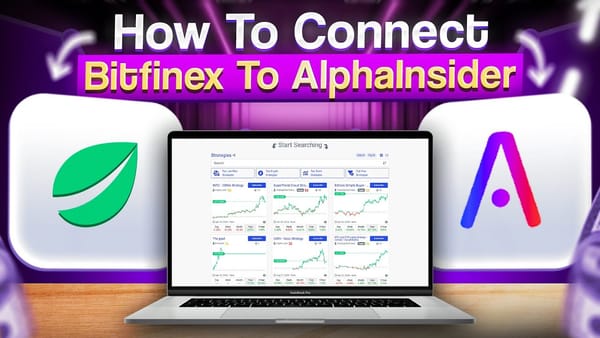
Tutorial video on connecting Telegram AI trading bot to AlphaInsider using N8N
Table of Contents
Prerequisites / What You’ll Need
How the Telegram Trading Bot Works
Importing the n8n Workflow Template
Creating Your Telegram Bot with BotFather
Setting Up API Credentials in n8n
Creating Your Alpha Insider Strategy
Configuring Global Settings and Whitelist
Adding Alpha Insider API Credentials
Testing Your Telegram Trading Bot
Publishing and Running the Workflow
Automating Trades with Your Broker
Creating Custom Market Analysis Posts
Troubleshooting Common Issues
Frequently Asked Questions
Key Takeaways
- Build a fully functional Telegram trading bot in under 30 minutes that accepts text or voice commands.
- Use n8n + OpenAI to transcribe and interpret instructions, then send orders to Alpha Insider.
- Track performance privately or share your strategy publicly for followers to copy.
- First broker automation on Alpha Insider is free — perfect for testing.
- Whitelist assets, create market-analysis posts, and rebalance accounts automatically.
- No coding skills needed — the complete JSON template is ready to import.
Prerequisites / What You’ll Need
Before you begin, gather these free or low-cost accounts (total setup time: 15–25 minutes):
- Active n8n account (cloud or self-hosted — the free tier works for testing)
- Telegram account (web or mobile)
- OpenAI API key (small top-up may be needed — usage is pennies per command)
- Alpha Insider account (free to start; paid plans unlock private/paid strategies)
- Broker API keys if you want live automation (Coinbase, Binance, or Alpaca for stocks)
Skill level: Beginner-friendly. The provided template handles 95 % of the heavy lifting.
How the Telegram Trading Bot Works
Your private Telegram chat becomes the command center. You type or voice-record messages like “Go 100 % long ETH” or “Sell 50 % of Bitcoin and split the rest into 25 % ETH and 25 % SOL.”
The bot flow is simple:
- n8n listens to your Telegram messages.
- OpenAI transcribes voice notes and parses intent.
- The system checks current positions via Alpha Insider.
- It creates, adjusts, or closes orders.
- Optional: It publishes a market-analysis post visible to anyone following your public strategy.
- You receive an instant confirmation reply in Telegram.
Everything happens in seconds. You can track performance without automation first, then flip the switch to live trading when you’re ready.
Importing the n8n Workflow Template
- Log into n8n and click Create Workflow.
- In the top-right three dots, choose Import from URL (or Import from File).
- Paste the template link from S3
- The entire visual workflow loads instantly — zoom in and follow along.
Creating Your Telegram Bot with BotFather
- Open Telegram and search for @BotFather.
- Send
/newbotand give it a name (e.g., “TCBot2”). - Copy the API token BotFather gives you — store it safely.
- Open the new bot chat and click Start so it’s ready to receive messages.
This token is what n8n uses to listen to your private channel.
Setting Up API Credentials in n8n
Telegram credentials
- Double-click the “Telegram channel listener” node.
- Create new credential → paste your BotFather token.
- Rename it (e.g., “TCBot2”) and save.
OpenAI credentials
- Double-click the OpenAI node.
- Create new credential → paste your OpenAI API key.
- Name it “OpenAI account” and save.
Creating Your Alpha Insider Strategy
- Log into Alpha Insider → Portfolio → New Strategy.
- Name it (e.g., “TCBot2”), set hypothetical starting balance, choose crypto or stocks.
- Make it public, private, or paid (paid requires upgrade).
- Click Create.
- On the strategy page, copy the Strategy ID from the URL (everything after
/strategy/when timeframe is set to 1-year view).
Configuring Global Settings and Whitelist
- Double-click the Global Settings node.
- Paste your Alpha Insider Strategy ID into the value field.
- (Optional) In the whitelist array, add specific tickers in the format
BTC:COINBASE,ETH:COINBASEto restrict trading. Leave brackets empty for unlimited valid assets.
Adding Alpha Insider API Credentials
- In Alpha Insider, go to Settings → Developers.
- Create a new key with “n8n/Zapier” permissions.
- Copy the bearer token.
- In n8n, update the Get Positions, Create Order, and Create Post nodes to use this bearer token credential.
Testing Your Telegram Trading Bot
- Click Execute Workflow in n8n.
- Send a test message in your Telegram bot: “Go 100 % long ETH”.
- Watch the workflow run in real time — positions update on Alpha Insider within seconds.
- Try a voice note: “Get out of all open positions right now.”
- Confirm you receive a reply and see the trade reflected.
Fix any credential errors (most common issue) by selecting the correct saved credential in each node.
Publishing and Running the Workflow
Once testing succeeds:
- Click Publish at the top.
- Name the workflow (e.g., “Telegram Trading Bot”).
- The bot now runs 24/7 in the background — no more manual “Execute” clicks needed.
Automating Trades with Your Broker
- On your Alpha Insider strategy page, click Autotrade.
- Connect your broker (Coinbase, Binance, or Alpaca). First connection is free.
- Set allocation percentage (10 %, 50 %, 100 %).
- Enable rebalance on start, close on stop, and max slippage.
- Save — your Telegram commands now execute live with real capital.
Pro tip: Use a dedicated sub-account so manual trading and bot trading stay separate.
Creating Custom Market Analysis Posts
Want to share insights with followers?
Send a command like: “Create a post going over the current technical landscape of Bitcoin — bullish, bearish, or neutral?”
The bot uses OpenAI to generate the analysis and publishes it directly to your Alpha Insider strategy page as a post. Followers see it instantly.
Troubleshooting Common Issues
- No reply in Telegram → Double-check Telegram credential in the final “User Reply” node.
- Order failed → Verify Strategy ID and bearer token are correct.
- Voice messages ignored → Ensure the audio-processing branch uses the right Telegram credential.
- Asset not recognized → Use exact ticker format from Alpha Insider search (e.g.,
ETH:Coinbase). - OpenAI cost → Expect pennies per command; monitor your API usage dashboard.
Frequently Asked Questions
What is a Telegram trading bot?
A Telegram trading bot is a private chat that turns your text or voice commands into real trading actions on Alpha Insider, with optional broker automation.Do I need coding skills to build it?
No. The complete n8n JSON template handles everything — just import, add your keys, and go.How much does this cost?
n8n and Alpha Insider start free. OpenAI usage is minimal (a few cents per session). First broker automation is free on Alpha Insider.Can it trade stocks or only crypto?
You choose when creating the strategy.Is the strategy public or private?
You decide — public for followers, private for personal use only, or paid if you want to charge subscribers.How fast do trades execute?
Text commands usually process in seconds. Voice notes add a few extra seconds for transcription.Can I whitelist specific assets?
Yes. Add tickers in the Global Settings node to prevent the bot from trading anything else.What happens if I send a voice command?
OpenAI transcribes it automatically, parses the intent, and executes the trade exactly like a typed message.Can followers copy my trades?
Yes — share your public strategy link. They see every position and post in real time.Conclusion: Ready to Launch Your Telegram Trading Bot?
You now have everything you need to build, test, and run a professional-grade Telegram trading bot that listens to your voice or text and executes trades on autopilot.
Start with the free n8n template, connect your keys, test a few commands, then flip on broker automation when you’re confident. Whether you use it for personal performance tracking or to grow a paid subscriber base, this workflow puts you in complete control.
Grab the template from the video description, follow the steps above, and start trading smarter today. Drop your first test command in Telegram and watch the magic happen.
See you in the markets — happy trading!